A Theme Manager for MantisBT, the free web-based bugtracking system.
- 2012 by http://tim-pietrusky.de
- 2017 updated by Samunosuke
- 2018 updated by Cactushead
0.0.3 (20180116) Tested with Mantis 2.9

- This fork changes the look of the theme manager to more closely use the MantisBT default styling and layout.
- Screenshot zoom on hover still works and can additionally be themed by your custom themes (like cactus light).
- Label indicator to make it clear which is the active theme.
- The instructions shows a red or green indication as to whether you have created the themes folder.
- Download
- Unpack the zip file
- Rename the unpacked folder called
TimPietrusky-MantisThemeManager-xxxxxxxtoMantisThemeManager - Copy the
MantisThemeManagerfolder to<mantis-root>/plugins/ - Go to Manage / Manage Plugins and hit the Install action for MantisBT Theme Manager
- Click on the MantisBT Theme Manager x.x.x link to open the choose a theme page
- Create a folder called
themesinside<mantis-root>/css/if it does not yet exist - Copy
<mantis-root>/plugins/MantisThemeManager/pages/default.pngto<mantis-root>/css/themes/default/default.png
Follow the Instructions on the MantisBT Theme Manager page.
- Creates a flat clean and vibrant theme
- Alters side menu
- Adds theme info to footer
- No additional javascripts required

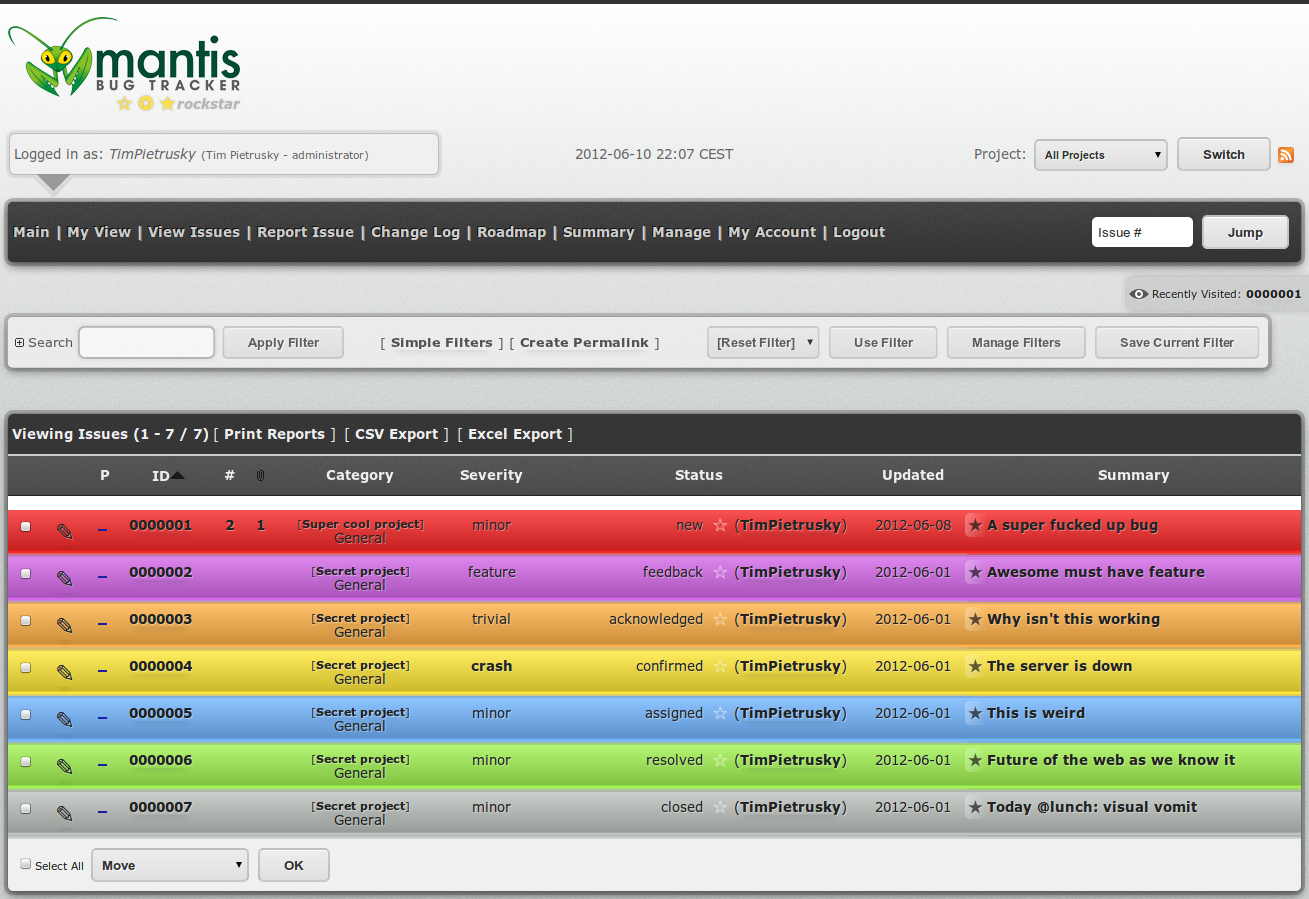
- adds gradient to bug list rows
- provides a base for more visual optimization

Please create a pull request or issue or what ever to add your theme to the list.
- Your theme should have a unique name like
mytheme - Name your css
default.cssand save it tothemes/mytheme/default.css - Create a preview image of your theme, name it
mytheme.pngand save it tothemes/mytheme/mytheme.png - Create what ever subfolders you like (e. g.
mytheme/imgfor images used in yourdefault.css)
- Create more themes
Licensed under VVL 1.33b7 which means this work is free for all, so use it as you like.