English | 日本語
Turn runes into commands.
runex is a cross-shell abbreviation engine that expands short tokens into full commands in real-time.
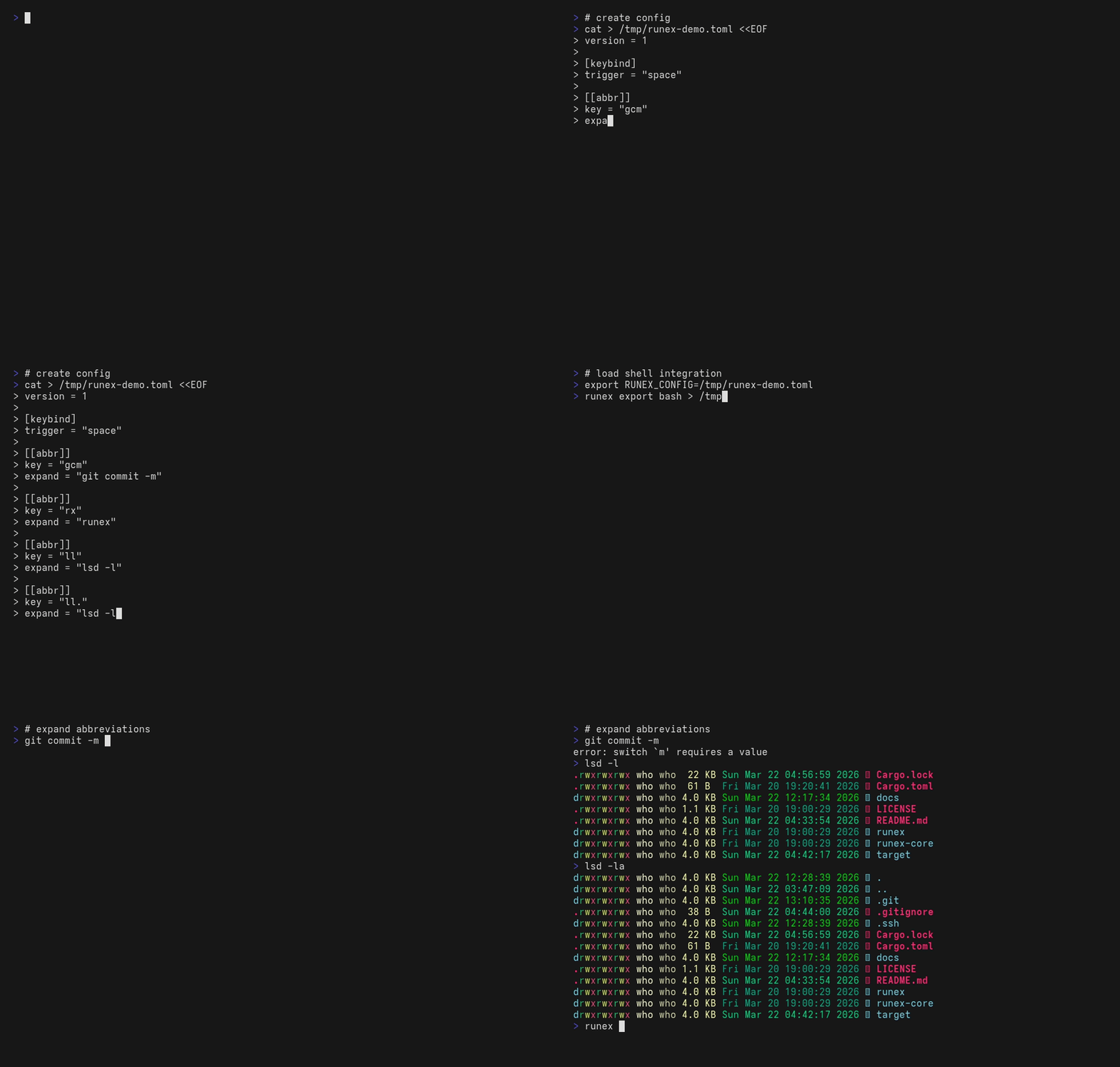
| Goal | Read |
|---|---|
| Just install and try it | This README → Install → Setup |
| Find a config snippet for X | docs/recipes.md |
| Look up a field's exact meaning | docs/config-reference.md |
| Diagnose "I configured it but nothing happens" | docs/setup.md#troubleshooting |
- Cross-shell support (bash / zsh / pwsh / cmd / nushell)
- Real-time expansion (customizable trigger key)
- Single config file shared across shells
- Conditional rules (
when_command_exists) — only expand when the listed commands resolve in the current shell - Fast and lightweight (Rust core)
runex treats short inputs as runes, and expands them into full casts.
gcm␣ → git commit -m
ls␣  → lsd
cargo install runex                # 1. install
runex init                         # 2. create config + hook into your shell
                                   #    (asks before touching your rcfile)
exec $SHELL                        # 3. fresh shell so the integration loads
gst<Space>                         # 4. expands to: git status
The config seeded by runex init includes a gst → git status sample
so you can verify expansion works immediately. From there, swap in your
own abbreviations — see docs/recipes.md for
copy-pasteable patterns.
cargo install runex                       # Rust toolchain
brew install shortarrow/runex/runex       # macOS / Linux
paru -S runex-bin                         # Arch Linux (AUR)
winget install ShortArrow.runex           # Windows
Other options (mise, pre-built binaries, platform notes): see docs/install.md.
runex init is append-only and asks before each write — your
existing rcfile is never modified except for one new block at the end.
See What runex init will and won't do
for the full guarantees.
It creates the config and appends the shell integration line to your rc file, with a confirmation prompt at each step:
$ runex init
Create config at ~/.config/runex/config.toml? [y/N] y
Created: ~/.config/runex/config.toml
Append shell integration to ~/.bashrc? [y/N] y
Appended integration to ~/.bashrc
Pass -y to skip all prompts. Per-shell manual setup (bash / zsh / pwsh / nu / clink) is documented in docs/setup.md.
Default path: $XDG_CONFIG_HOME/runex/config.toml, falling back to ~/.config/runex/config.toml on all platforms.
Override with the RUNEX_CONFIG environment variable or the --config flag.
No keybindings are active until you configure them.
version = 1

[keybind.trigger]
default = "space"

[[abbr]]
key    = "ls"
expand = "lsd"
when_command_exists = ["lsd"]

[[abbr]]
key    = "gcm"
expand = "git commit -m"

[[abbr]]
key    = "gcam"
expand = "git commit -am '{}'"   # {} = cursor stays here after expansion
See docs/config-reference.md for the full reference, including evaluation order, fallback chains, and all accepted fields. For copy-pasteable scenarios (Git shortcuts, per-shell commands, fallback chains, …) see docs/recipes.md.
The five you'll reach for daily:
runex init                       Set up config + shell integration (asks before each write)
runex doctor                     Verify everything is wired up
runex add <key> <expand>         Add an abbreviation rule to the config file
runex which <token> --why        Explain whether a token would expand and why
runex export <shell>             Print the shell integration script (sourced via init)
Full CLI reference: runex --help (or runex <subcommand> --help for a
specific one). Global flags --config, --path-prepend, and --json
work on every subcommand where they make sense; --json is supported by
list, doctor, version, expand, which, timings, and config where.
runex doctor reports environment-level checks alongside config
validation: effective_search_path (Windows-only PATH augmentation
summary) and integration:<shell> (rcfile-marker presence and clink lua
drift detection). The semantics for each row are spelled out in
docs/config-reference.md,
and docs/setup.md shows an annotated example.
If you use trigger = "space", there are a few practical ways to avoid expansion:
- In bash, prefix the token with
\— e.g.\ls— or usecommand ls. - In PowerShell,
\lsis just a different token. For built-in aliases, prefer the full command name (e.g.Get-ChildItem).
You can also bind a key to plain-space insertion using self_insert:
[keybind.trigger]
default = "space"

[keybind.self_insert]
default = "shift-space"   # pwsh/nu: Shift+Space inserts a space without expanding
# default = "alt-space" # all shells including bash/zsh| Value | bash | zsh | pwsh | nu |
|---|---|---|---|---|
"alt-space" |
yes | yes | yes | yes |
"shift-space" |
no | no | yes | yes |
| Feature | alias | runex |
|---|---|---|
| Cross-shell | No | Yes |
| Real-time expand | No | Yes |
| Conditional rules | No | Yes |
- One config, all shells
- Minimal typing, maximal power
- Runes over repetition
Near-term:
- Harden
doctorandinitaround edge cases and clearer diagnostics
Later:
- Fuzzy suggestions
- Interactive picker
- Editor integrations
- Broader distribution channels (GitHub Releases,
cargo-binstall,winget,mise github:)
- run (execute)
- ex (expand / execute)
- rune (compressed command)
- run + ex = expand / execute / express / extract / explode
- rune x (like 7z's "x" for extract)
- rune +x (like chmod's "+x" execute)
runex is inspired by fish shell's abbreviation system and zsh-abbr. The idea of real-time token expansion originated there — runex brings it to every shell with a single config file.
Dual-licensed under either of MIT or Apache-2.0 at your option. Unless explicitly stated otherwise, any contribution intentionally submitted for inclusion in this work by you shall be dual-licensed as above, without any additional terms or conditions.
Third-party dependency licenses are documented in THIRD_PARTY_LICENSES.md.