




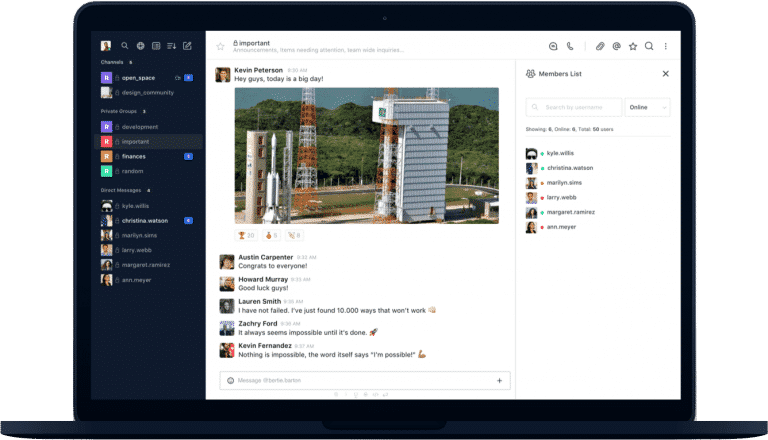
The official desktop app for Rocket.Chat on Windows, macOS, and Linux, built with Electron.
The desktop app gives you everything in the Rocket.Chat web client, plus:
- Multiple workspaces in one window: Add all your Rocket.Chat workspaces to the sidebar and switch between them.
- Native notifications: Get system notifications with inline quick reply on Windows and macOS.
- Runs in the background: Keep the app in the system tray or minimized so you never miss a message.
- Built-in video call window: Open calls in an app window instead of a browser tab.
- Centrally managed settings: IT teams can preset workspaces, lock settings, and install silently at scale.
- Download and install
- Configure the app for your organization
- Develop
- Branches and releases
- Contribute
- Get help
- License
Get the app from your platform's store:


You can also download an installer from the latest release.
| Platform | Minimum version | Architectures | Formats |
|---|---|---|---|
| Windows | 10 | x64, ia32, arm64 | NSIS (.exe), MSI |
| macOS | 12 (Monterey) | Universal (x64 + Apple Silicon) | DMG, PKG, ZIP |
| Linux | Ubuntu 22.04 or equivalent | x64 | AppImage, deb, rpm, snap, tar.gz |
For step-by-step instructions, see Install desktop and mobile apps.
To deploy the app across many machines without user prompts, use the NSIS or MSI installer on Windows, the PKG installer on macOS, or the deb package on Linux. For example, on Windows:
rocketchat-<version>-win.exe /S /allusers /disableAutoUpdatesFor every installer option, see Silent installation for desktop app.
Admins can control how the app behaves on every device with two JSON files:
servers.json: Presets the workspaces that appear in the sidebar the first time a user opens the app. When you bundle it with the installer, users skip the Connect to server screen and go straight to the login screen.overridden-settings.json: Enforces settings such as disabling auto-update, hiding the tray icon, or turning off quick reply in notifications. Set"isContextMenuEnabled": falseto turn off the native right-click menu in workspaces. Users cannot change that setting in the View menu. Combine"isAddNewServersEnabled": falsewithservers.jsonto stop users from adding workspaces. The app readsservers.jsononly when the sidebar has no workspaces, and it does not remove workspaces that users already have.
For file locations on each operating system and the full list of settings, see Preset workspaces and Override settings.
- Git
- Node.js 22.0.0 or later
- Yarn. The repository includes its own Yarn 4 release in
.yarn/releases, and any recent Yarn install runs that release.
On Linux, you also need these system packages:
# Ubuntu/Debian
sudo apt install build-essential libxss-dev

# Fedora/RHEL
sudo dnf install libX11-devel libXScrnSaver-devel gcc-c++git clone https://github.com/RocketChat/Rocket.Chat.Electron.git
cd Rocket.Chat.Electron
yarn
yarn startyarn start builds the app and watches for changes.
The app is written in TypeScript. The source lives in src, and the build compiles it into app, which then contains the full, runnable application.
The build uses the Rollup bundler and has three entry points:
| File | Runs in | Purpose |
|---|---|---|
src/main.ts |
Electron main process | Orchestrates the whole application. |
src/rootWindow.ts |
Root window | Renders the UI of the app's main window. |
src/preload.ts |
Privileged preload layer | Connects the app to the webviews that render the Rocket.Chat client. |
Important
Only modules listed in dependencies in package.json are included in the distributable app. Put build and test tools in devDependencies.
yarn lint   # ESLint and TypeScript checks
yarn test   # Unit tests
Tests use Jest with the Jest Electron runner. The name and location of a spec decide which Jest project runs it (testMatch in jest.config.js):
- Main-process specs live under
src/<module>/main/, or are namedsrc/<module>/main.spec.ts. - Renderer specs live in a nested folder such as
src/<module>/<subfolder>/, or are namedsrc/<module>/renderer.spec.ts(x).
Jest does not find a spec placed directly in src/<module>/ with any other name. To check that Jest finds a new spec, run yarn test --listTests --runTestsByPath <file>.
yarn build
yarn release
yarn build compiles the current source into app. Run it first, because yarn release packages app as it is, and yarn install deletes app. yarn release then packages the app for the operating system you run it on, for the x64 architecture, and writes the installers to dist. Packaging is handled by electron-builder. See its configuration options to customize the output.
- Pull requests target
dev, the default branch. masterholds only released code. Its tip is always the latest stable release.release/X.Y.xbranches carry patch releases for a shipped version and merge intomasterafter each patch.
Releases are tag-driven. Pushing a semver tag triggers CI to build every platform and create a draft GitHub release, which a maintainer reviews and publishes.
- Development and release flow: The branch model, versioning, and CI/CD.
- Release process: The exact commands for alpha, stable, and patch releases.
We welcome contributions. Before you open a pull request:
- Read the contribution guidelines and the code of conduct.
- For a new feature or a larger change, open an issue first so we can discuss it.
- Run
yarn lintandyarn test, and make sure both pass.
Found a bug? Open an issue with your app version, operating system, and steps to reproduce it.
Found a security issue? Don't open a public issue. Email security@rocket.chat instead. See SECURITY.md.
- Documentation: Rocket.Chat docs and developer guides
- Community: Ask in #support on our community server or on the forums
- Customers: Contact the support desk
- Main project: RocketChat/Rocket.Chat
Released under the MIT license.