All URIs are relative to https://api.pandadoc.com
| Method | HTTP request | Description |
|---|---|---|
| appendContentLibraryItemToDocument | POST /public/v1/documents/{id}/append-content-library-item | Append Content Library Item to a document |
| changeDocumentStatus | PATCH /public/v1/documents/{id}/status | Document Status Change |
| changeDocumentStatusWithUpload | PATCH /public/v1/documents/{id}/status?upload | Document Status Change with Upload |
| createDocument | POST /public/v1/documents | Create Document |
| createDocumentEditingSession | POST /public/v1/documents/{id}/editing-sessions | Create Document Editing Session |
| createDocumentFromUpload | POST /public/v1/documents?upload | Create Document from File Upload |
| createDocumentLink | POST /public/v1/documents/{id}/session | Create Document Session for Embedded Sign |
| createExportDocxTask | POST /public/beta/documents/{document_id}/docx-export-tasks | [Beta] Create DOCX Export Task |
| deleteDocument | DELETE /public/v1/documents/{id} | Delete Document |
| detailsDocument | GET /public/v1/documents/{id}/details | Document Details |
| documentESignDisclosure | GET /public/v1/documents/{document_id}/esign-disclosure | Document eSign disclosure |
| documentMoveToFolder | POST /public/v1/documents/{id}/move-to-folder/{folder_id} | Document move to folder |
| documentRevertToDraft | POST /public/v1/documents/{id}/draft | Move Document to Draft |
| downloadDocument | GET /public/v1/documents/{id}/download | Document Download |
| downloadProtectedDocument | GET /public/v1/documents/{id}/download-protected | Download Completed Document |
| getDocxExportTask | GET /public/beta/documents/{document_id}/docx-export-tasks/{task_id} | [Beta] DOCX Export Task |
| listDocuments | GET /public/v1/documents | List Documents |
| sendDocument | POST /public/v1/documents/{id}/send | Send Document |
| statusDocument | GET /public/v1/documents/{id} | Document Status |
| transferAllDocumentsOwnership | PATCH /public/v1/documents/ownership | Transfer all documents ownership |
| transferDocumentOwnership | PATCH /public/v1/documents/{id}/ownership | Update document ownership |
| updateDocument | PATCH /public/v1/documents/{id} | Update Document |
AppendCLIDataResponse appendContentLibraryItemToDocument(appendCLIDataRequest)
Appends a Content Library Item (CLI) to a document and provides a name mapping for its content blocks.
import * as pd_api from 'pandadoc-node-client';

// replace it with your API key
const API_KEY = "YOUR_API_KEY";
const configuration = pd_api.createConfiguration(
    { authMethods: {apiKey: `API-Key ${API_KEY}`} }
);
const apiInstance = new pd_api.DocumentsApi(configuration);

const body:pd_api.DocumentsApiAppendContentLibraryItemToDocumentRequest = {
  // string | Specify document id.
  id: "BhVzRcxH9Z2LgfPPGXFUBa",
  // AppendCLIDataRequest
  appendCLIDataRequest: {
    cli: {
      id: "QYCPtavst3DqqBK72ZRtbF",
      pages: [
        {
          index: 1,
          name: "Page 1",
        },
      ],
    },
  },
};

apiInstance.appendContentLibraryItemToDocument(body).then((data) => {
  console.log('API called successfully. Returned data: %o', data);
}).catch((error) => console.error(error));| Name | Type | Description | Notes |
|---|---|---|---|
| appendCLIDataRequest | AppendCLIDataRequest | ||
| id | [string] | Specify document id. | defaults to undefined |
AppendCLIDataResponse
- Content-Type: application/json
- Accept: application/json
| Status code | Description | Response headers |
|---|---|---|
| 201 | OK | - |
| 401 | Authentication error | - |
| 403 | Permission error | - |
| 404 | Not found | - |
| 409 | Conflict | - |
| 429 | Too Many Requests | - |
[Back to top] [Back to API list] [Back to README]
void changeDocumentStatus(documentStatusChangeRequest)
PandaDoc has eight document statuses, but you can manually set your document status to only four: ### Document statuses - Completed - document.completed - API code 2 - Expired - document.voided - code 11 - Paid - document.paid - code 10. Important: You can only set it if you have a payment app connected. - Declined - document.declined - code 12 > 🚧 Pass a numeric code for the corresponding document status, for example, 2 for document.completed. Find more details in \[Editor 2.0\] Manually change document status topic. | Current Status | To Completed: | To Expired: | To Paid: | To Declined: | |----------------|---------------|-------------|----------|--------------| | Draft | YES | NO | YES | YES | | Approved | NO | NO | NO | NO | | Sent | YES | YES | NO | YES | | Viewed | YES | YES | NO | YES | | Completed (Auto) | NO | NO | NO | YES | | Waithing for payment | NO | NO | YES | YES | | Paid | NO | NO | NO | NO | | Expired | YES | NO | YES | YES | | Declined | YES | NO | YES | NO | > ✅ - from document.voided to document.paid > > ❌ - from document.paid to document.voided
import * as pd_api from 'pandadoc-node-client';

// replace it with your API key
const API_KEY = "YOUR_API_KEY";
const configuration = pd_api.createConfiguration(
    { authMethods: {apiKey: `API-Key ${API_KEY}`} }
);
const apiInstance = new pd_api.DocumentsApi(configuration);

const body:pd_api.DocumentsApiChangeDocumentStatusRequest = {
  // string | Specify document ID.
  id: "iGsFiaV2hEEvQdhr2WAkMk",
  // DocumentStatusChangeRequest
  documentStatusChangeRequest: {
    status: 12,
    note: "A private note",
    notifyRecipients: true,
  },
};

apiInstance.changeDocumentStatus(body).then((data) => {
  console.log('API called successfully. Returned data: %o', data);
}).catch((error) => console.error(error));| Name | Type | Description | Notes |
|---|---|---|---|
| documentStatusChangeRequest | DocumentStatusChangeRequest | ||
| id | [string] | Specify document ID. | defaults to undefined |
void
- Content-Type: application/json
- Accept: application/json
| Status code | Description | Response headers |
|---|---|---|
| 204 | No content | - |
| 401 | Authentication error | - |
| 403 | Permission error | - |
| 404 | Not found | - |
| 409 | Conflict | - |
| 429 | Too Many Requests | - |
[Back to top] [Back to API list] [Back to README]
void changeDocumentStatusWithUpload()
PandaDoc has eight document statuses, but you can manually set your document status to only four: ### Document statuses - Completed - document.completed - API code 2 - Expired - document.voided - code 11 - Paid - document.paid - code 10. Important: You can only set it if you have a payment app connected. - Declined - document.declined - code 12 > 🚧 Pass a numeric code for the corresponding document status, for example, 2 for document.completed. Find more details in \[Editor 2.0\] Manually change document status topic. | Current Status | To Completed: | To Expired: | To Paid: | To Declined: | |----------------|---------------|-------------|----------|--------------| | Draft | YES | NO | YES | YES | | Approved | NO | NO | NO | NO | | Sent | YES | YES | NO | YES | | Viewed | YES | YES | NO | YES | | Completed (Auto) | NO | NO | NO | YES | | Waithing for payment | NO | NO | YES | YES | | Paid | NO | NO | NO | NO | | Expired | YES | NO | YES | YES | | Declined | YES | NO | YES | NO | > ✅ - from document.voided to document.paid > > ❌ - from document.paid to document.voided
import * as pd_api from 'pandadoc-node-client';

// replace it with your API key
const API_KEY = "YOUR_API_KEY";
const configuration = pd_api.createConfiguration(
    { authMethods: {apiKey: `API-Key ${API_KEY}`} }
);
const apiInstance = new pd_api.DocumentsApi(configuration);

const body:pd_api.DocumentsApiChangeDocumentStatusWithUploadRequest = {
  // string | Specify document ID.
  id: "iGsFiaV2hEEvQdhr2WAkMk",
  // HttpFile | Binary attachment file (optional)
  file: { data: Buffer.from(fs.readFileSync('/path/to/file', 'utf-8')), name: '/path/to/file' },
  // DocumentStatusChangeRequest | JSON as a multipart/form-data string. (optional)
  data: null,
};

apiInstance.changeDocumentStatusWithUpload(body).then((data) => {
  console.log('API called successfully. Returned data: %o', data);
}).catch((error) => console.error(error));| Name | Type | Description | Notes |
|---|---|---|---|
| id | [string] | Specify document ID. | defaults to undefined |
| file | [HttpFile] | Binary attachment file | (optional) defaults to undefined |
| data | DocumentStatusChangeRequest | JSON as a multipart/form-data string. | (optional) defaults to undefined |
void
- Content-Type: multipart/form-data
- Accept: application/json
| Status code | Description | Response headers |
|---|---|---|
| 204 | No content | - |
| 401 | Authentication error | - |
| 403 | Permission error | - |
| 404 | Not found | - |
| 409 | Conflict | - |
| 429 | Too Many Requests | - |
[Back to top] [Back to API list] [Back to README]
DocumentCreateResponse createDocument(documentCreateRequest)
Create from a template > See the Create document from template tutorial for details on how to use this endpoint, as well as a sample template. ## Create from a URL > See the Create from public PDF guide for info about roles and fields, as well as PDF examples.
import * as pd_api from 'pandadoc-node-client';

// replace it with your API key
const API_KEY = "YOUR_API_KEY";
const configuration = pd_api.createConfiguration(
    { authMethods: {apiKey: `API-Key ${API_KEY}`} }
);
const apiInstance = new pd_api.DocumentsApi(configuration);

const body:pd_api.DocumentsApiCreateDocumentRequest = {
  // DocumentCreateRequest
  documentCreateRequest: null,
  // string | Set this parameter as `ev1` if you want to create a document from PDF with Classic Editor when both editors are enabled for the workspace. (optional)
  editorVer: "ev2",
  // string | Set this parameter as `yes` or `1` or `true` (only when upload pdf with form fields) if you want to  respect form fields properties, like `required`. (optional)
  useFormFieldProperties: "true",
};

apiInstance.createDocument(body).then((data) => {
  console.log('API called successfully. Returned data: %o', data);
}).catch((error) => console.error(error));| Name | Type | Description | Notes |
|---|---|---|---|
| documentCreateRequest | DocumentCreateRequest | ||
| editorVer | [string] | Set this parameter as `ev1` if you want to create a document from PDF with Classic Editor when both editors are enabled for the workspace. | (optional) defaults to undefined |
| useFormFieldProperties | [string] | Set this parameter as `yes` or `1` or `true` (only when upload pdf with form fields) if you want to respect form fields properties, like `required`. | (optional) defaults to undefined |
DocumentCreateResponse
- Content-Type: application/json
- Accept: application/json
| Status code | Description | Response headers |
|---|---|---|
| 201 | OK | - |
| 400 | Bad Request | - |
| 401 | Authentication error | - |
| 403 | Permission error | - |
| 429 | Too Many Requests | - |
[Back to top] [Back to API list] [Back to README]
CreateDocumentEditingSession201Response createDocumentEditingSession(editingSessionRequest)
Creates a new editing session for the Embedded Editor. The response includes an E-Token, which is required to open the document. > 🚧 Important: The Embedded Editor can only open documents that have a draft status. #### Limitations - Single Active Session per User-Document Pair Only one editing session can be active at a time for a specific user and document. Creating a new session for the same user-document pair will automatically invalidate the previous one. - Weekly Session Cap A maximum of 250 editing sessions can be created for a single document per week. Any attempt to exceed this limit will result in a 403 Forbidden error.
import * as pd_api from 'pandadoc-node-client';

// replace it with your API key
const API_KEY = "YOUR_API_KEY";
const configuration = pd_api.createConfiguration(
    { authMethods: {apiKey: `API-Key ${API_KEY}`} }
);
const apiInstance = new pd_api.DocumentsApi(configuration);

const body:pd_api.DocumentsApiCreateDocumentEditingSessionRequest = {
  // string | Document ID
  id: "pSgK5XYZjyg3zXYZxsoUWg",
  // EditingSessionRequest
  editingSessionRequest: {
    email: "john.doe@pandadoc.com",
    lifetime: 3600,
  },
};

apiInstance.createDocumentEditingSession(body).then((data) => {
  console.log('API called successfully. Returned data: %o', data);
}).catch((error) => console.error(error));| Name | Type | Description | Notes |
|---|---|---|---|
| editingSessionRequest | EditingSessionRequest | ||
| id | [string] | Document ID | defaults to undefined |
CreateDocumentEditingSession201Response
- Content-Type: application/json
- Accept: application/json
| Status code | Description | Response headers |
|---|---|---|
| 201 | Document Editing Session created | - |
| 400 | Bad request | - |
| 401 | Authentication error | - |
| 403 | Permission error | - |
| 404 | Not found | - |
| 429 | Too Many Requests | - |
[Back to top] [Back to API list] [Back to README]
DocumentCreateResponse createDocumentFromUpload()
Create from an upload > See the Create from PDF tutorial for the usage specifics and sample PDF files. Note: A file you upload is not stored in your PandaDoc account, so you have to upload it with every request.
import * as pd_api from 'pandadoc-node-client';

// replace it with your API key
const API_KEY = "YOUR_API_KEY";
const configuration = pd_api.createConfiguration(
    { authMethods: {apiKey: `API-Key ${API_KEY}`} }
);
const apiInstance = new pd_api.DocumentsApi(configuration);

const body:pd_api.DocumentsApiCreateDocumentFromUploadRequest = {
  // string | Set this parameter as `ev1` if you want to create a document from PDF with Classic Editor when both editors are enabled for the workspace. (optional)
  editorVer: "ev2",
  // string | Set this parameter as `yes` or `1` or `true` (only when upload pdf with form fields) if you want to  respect form fields properties, like `required`. (optional)
  useFormFieldProperties: "true",
  // HttpFile | Binary PDF File (optional)
  file: { data: Buffer.from(fs.readFileSync('/path/to/file', 'utf-8')), name: '/path/to/file' },
  // DocumentCreateByPdfRequest (optional)
  data: {
    parseFormFields: true,
    fields: {
      "key": {
        value: null,
        role: "user",
      },
    },
    name: "API Sample Document from PandaDoc Template",
    folderUuid: "QMDSzwabfFzTgjW4kUijqQ",
    owner: {
      email: "john.doe@example.com",
      membershipId: "QMDSzwabfFzTgjW6KijHyu",
    },
    recipients: [
      null,
    ],
    tokens: [
      {
        name: "Client.CompanyName",
        value: "PandaDoc",
      },
    ],
    metadata: {},
    tags: ["created_via_api","test_document","created_from_source"],
  },
};

apiInstance.createDocumentFromUpload(body).then((data) => {
  console.log('API called successfully. Returned data: %o', data);
}).catch((error) => console.error(error));| Name | Type | Description | Notes |
|---|---|---|---|
| editorVer | [string] | Set this parameter as `ev1` if you want to create a document from PDF with Classic Editor when both editors are enabled for the workspace. | (optional) defaults to undefined |
| useFormFieldProperties | [string] | Set this parameter as `yes` or `1` or `true` (only when upload pdf with form fields) if you want to respect form fields properties, like `required`. | (optional) defaults to undefined |
| file | [HttpFile] | Binary PDF File | (optional) defaults to undefined |
| data | DocumentCreateByPdfRequest | (optional) defaults to undefined |
DocumentCreateResponse
- Content-Type: multipart/form-data
- Accept: application/json
| Status code | Description | Response headers |
|---|---|---|
| 201 | OK | - |
| 400 | Bad Request | - |
| 401 | Authentication error | - |
| 429 | Too Many Requests | - |
[Back to top] [Back to API list] [Back to README]
DocumentCreateLinkResponse createDocumentLink(documentCreateLinkRequest)
Creates a document session for a recipient to view and sign a document. > 📘 How to create an Embedded Sign session > For more information on how to create an Embedded Sign session, see the Embedded Signing documentation.
import * as pd_api from 'pandadoc-node-client';

// replace it with your API key
const API_KEY = "YOUR_API_KEY";
const configuration = pd_api.createConfiguration(
    { authMethods: {apiKey: `API-Key ${API_KEY}`} }
);
const apiInstance = new pd_api.DocumentsApi(configuration);

const body:pd_api.DocumentsApiCreateDocumentLinkRequest = {
  // string | Document ID
  id: "ZPeAfcpzr9aiVs5vqUf6jg",
  // DocumentCreateLinkRequest
  documentCreateLinkRequest: {
    recipient: "josh@example.com",
    lifetime: 900,
  },
};

apiInstance.createDocumentLink(body).then((data) => {
  console.log('API called successfully. Returned data: %o', data);
}).catch((error) => console.error(error));| Name | Type | Description | Notes |
|---|---|---|---|
| documentCreateLinkRequest | DocumentCreateLinkRequest | ||
| id | [string] | Document ID | defaults to undefined |
DocumentCreateLinkResponse
- Content-Type: application/json
- Accept: application/json
| Status code | Description | Response headers |
|---|---|---|
| 201 | OK | - |
| 400 | Bad Request | - |
| 401 | Authentication error | - |
| 403 | Permission error | - |
| 404 | Not found | - |
| 429 | Too Many Requests | - |
[Back to top] [Back to API list] [Back to README]
DocumentDocxExport createExportDocxTask()
⏱️ Export as DOCX is a non-blocking (asynchronous) operation > The document generation process may take some time. > With a successful request, you receive a response with task ID, status created and document id. After process completes, usually in a few minutes, the task status moves to the done state. > You can download documents up to 300 pages. For documents of 301+ pages, you will receive an error “400: The number of pages more then limit 300”
import * as pd_api from 'pandadoc-node-client';

// replace it with your API key
const API_KEY = "YOUR_API_KEY";
const configuration = pd_api.createConfiguration(
    { authMethods: {apiKey: `API-Key ${API_KEY}`} }
);
const apiInstance = new pd_api.DocumentsApi(configuration);

const body:pd_api.DocumentsApiCreateExportDocxTaskRequest = {
  // string | Specify document id.
  documentId: "BhVzRcxH9Z2LgfPPGXFUBa",
};

apiInstance.createExportDocxTask(body).then((data) => {
  console.log('API called successfully. Returned data: %o', data);
}).catch((error) => console.error(error));| Name | Type | Description | Notes |
|---|---|---|---|
| documentId | [string] | Specify document id. | defaults to undefined |
DocumentDocxExport
- Content-Type: Not defined
- Accept: application/json
| Status code | Description | Response headers |
|---|---|---|
| 200 | Export DOCX task was created. | - |
| 401 | Authentication error | - |
| 403 | Permission error | - |
| 404 | Not found error | - |
| 429 | Too many requests error | - |
[Back to top] [Back to API list] [Back to README]
void deleteDocument()
Delete a document by ID.
import * as pd_api from 'pandadoc-node-client';

// replace it with your API key
const API_KEY = "YOUR_API_KEY";
const configuration = pd_api.createConfiguration(
    { authMethods: {apiKey: `API-Key ${API_KEY}`} }
);
const apiInstance = new pd_api.DocumentsApi(configuration);

const body:pd_api.DocumentsApiDeleteDocumentRequest = {
  // string | Document ID
  id: "BhVzRcxH9Z2LgfPPGXFUBa",
};

apiInstance.deleteDocument(body).then((data) => {
  console.log('API called successfully. Returned data: %o', data);
}).catch((error) => console.error(error));| Name | Type | Description | Notes |
|---|---|---|---|
| id | [string] | Document ID | defaults to undefined |
void
- Content-Type: Not defined
- Accept: application/json
| Status code | Description | Response headers |
|---|---|---|
| 204 | No content | - |
| 404 | Not found | - |
[Back to top] [Back to API list] [Back to README]
DocumentDetailsResponse detailsDocument()
Return detailed data about a document. Use Document Status for getting just a basic info and status. Get details about a document by its id. Details include: - Basic document information (name, document state, owner, sender, grand total, etc.) - Recipients (completion status, signing order, etc.) - Fields with values (incl. Collect Files field) - Tokens (variables) with values - Pricing information (pricing tables, products, quotes, etc.) - Content block names for table, image, and text blocks (tables, images, texts) - Metadata - Tags - Linked objects - Approval flow (if present) - Timestamps associated with a document. Note that date_modified means any changes associated with the recipients and document status, while content_date_modified reflects any changes in the document content.
import * as pd_api from 'pandadoc-node-client';

// replace it with your API key
const API_KEY = "YOUR_API_KEY";
const configuration = pd_api.createConfiguration(
    { authMethods: {apiKey: `API-Key ${API_KEY}`} }
);
const apiInstance = new pd_api.DocumentsApi(configuration);

const body:pd_api.DocumentsApiDetailsDocumentRequest = {
  // string | Document ID
  id: "BhVzRcxH9Z2LgfPPGXFUBa",
};

apiInstance.detailsDocument(body).then((data) => {
  console.log('API called successfully. Returned data: %o', data);
}).catch((error) => console.error(error));| Name | Type | Description | Notes |
|---|---|---|---|
| id | [string] | Document ID | defaults to undefined |
DocumentDetailsResponse
- Content-Type: Not defined
- Accept: application/json
| Status code | Description | Response headers |
|---|---|---|
| 200 | OK | - |
| 401 | Authentication error | - |
| 403 | Permission error | - |
| 404 | Not found | - |
| 409 | Conflict | - |
| 429 | Too Many Requests | - |
[Back to top] [Back to API list] [Back to README]
DocumentESignDisclosure documentESignDisclosure()
Retrieves the current version of eSign disclosure text for a specified document.
import * as pd_api from 'pandadoc-node-client';

// replace it with your API key
const API_KEY = "YOUR_API_KEY";
const configuration = pd_api.createConfiguration(
    { authMethods: {apiKey: `API-Key ${API_KEY}`} }
);
const apiInstance = new pd_api.DocumentsApi(configuration);

const body:pd_api.DocumentsApiDocumentESignDisclosureRequest = {
  // string | The UUID of the document.
  documentId: "BhVzRcxH9Z2LgfPPGXFUBa",
};

apiInstance.documentESignDisclosure(body).then((data) => {
  console.log('API called successfully. Returned data: %o', data);
}).catch((error) => console.error(error));| Name | Type | Description | Notes |
|---|---|---|---|
| documentId | [string] | The UUID of the document. | defaults to undefined |
DocumentESignDisclosure
- Content-Type: Not defined
- Accept: application/json
| Status code | Description | Response headers |
|---|---|---|
| 200 | ESign disclosure text retrieved successfully. | - |
| 401 | Authentication error | - |
| 403 | Permission error | - |
| 404 | Not found | - |
| 429 | Too Many Requests | - |
[Back to top] [Back to API list] [Back to README]
void documentMoveToFolder()
This operation allows you to move a document to a folder by specifying the document ID and folder ID.
import * as pd_api from 'pandadoc-node-client';

// replace it with your API key
const API_KEY = "YOUR_API_KEY";
const configuration = pd_api.createConfiguration(
    { authMethods: {apiKey: `API-Key ${API_KEY}`} }
);
const apiInstance = new pd_api.DocumentsApi(configuration);

const body:pd_api.DocumentsApiDocumentMoveToFolderRequest = {
  // string | Specify document ID.
  id: "ZPeAfcpzr9aiVs5vqUf6jg",
  // string | Specify folder ID.
  folderId: "ZPeAfcpzr9aiVs5vqUf6jg",
};

apiInstance.documentMoveToFolder(body).then((data) => {
  console.log('API called successfully. Returned data: %o', data);
}).catch((error) => console.error(error));| Name | Type | Description | Notes |
|---|---|---|---|
| id | [string] | Specify document ID. | defaults to undefined |
| folderId | [string] | Specify folder ID. | defaults to undefined |
void
- Content-Type: Not defined
- Accept: application/json
| Status code | Description | Response headers |
|---|---|---|
| 204 | No content | - |
| 401 | Authentication error | - |
| 403 | Permission error | - |
| 404 | Not found | - |
| 429 | Too Many Requests | - |
[Back to top] [Back to API list] [Back to README]
DocumentRevertToDraftResponse documentRevertToDraft()
Revert your document back to draft to continue editing it. > 📘 Returning to Draft works for any document status except Removed. ## After you move your document to the Draft status - Signature and Initials fields are cleared. All other fields stay filled in. - Recipients are not notified that the document is back in Draft. - You'll need to resend the document so that recipients can sign the updated version.
import * as pd_api from 'pandadoc-node-client';

// replace it with your API key
const API_KEY = "YOUR_API_KEY";
const configuration = pd_api.createConfiguration(
    { authMethods: {apiKey: `API-Key ${API_KEY}`} }
);
const apiInstance = new pd_api.DocumentsApi(configuration);

const body:pd_api.DocumentsApiDocumentRevertToDraftRequest = {
  // string | Specify document ID.
  id: "iGsFiaV2hEEvQdhr2WAkMk",
};

apiInstance.documentRevertToDraft(body).then((data) => {
  console.log('API called successfully. Returned data: %o', data);
}).catch((error) => console.error(error));| Name | Type | Description | Notes |
|---|---|---|---|
| id | [string] | Specify document ID. | defaults to undefined |
DocumentRevertToDraftResponse
- Content-Type: Not defined
- Accept: application/json
| Status code | Description | Response headers |
|---|---|---|
| 200 | Success response | - |
[Back to top] [Back to API list] [Back to README]
HttpFile downloadDocument()
Download documents as a PDF.
import * as pd_api from 'pandadoc-node-client';

// replace it with your API key
const API_KEY = "YOUR_API_KEY";
const configuration = pd_api.createConfiguration(
    { authMethods: {apiKey: `API-Key ${API_KEY}`} }
);
const apiInstance = new pd_api.DocumentsApi(configuration);

const body:pd_api.DocumentsApiDownloadDocumentRequest = {
  // string | Specify document ID.
  id: "BhVzRcxH9Z2LgfPPGXFUBa",
  // string | HEX code (for example `#FF5733`). (optional)
  watermarkColor: "#FF5733",
  // number | Font size of the watermark. (optional)
  watermarkFontSize: 12,
  // number | In range 0.0-1.0 (optional)
  watermarkOpacity: 0.5,
  // string | Specify watermark text. (optional)
  watermarkText: "John Doe inc.",
  // boolean | Download document bundle as a zip-archive of separate PDFs (1 file per section). (optional)
  separateFiles: false,
};

apiInstance.downloadDocument(body).then((data) => {
  console.log('API called successfully. Returned data: %o', data);
}).catch((error) => console.error(error));| Name | Type | Description | Notes |
|---|---|---|---|
| id | [string] | Specify document ID. | defaults to undefined |
| watermarkColor | [string] | HEX code (for example `#FF5733`). | (optional) defaults to undefined |
| watermarkFontSize | [number] | Font size of the watermark. | (optional) defaults to undefined |
| watermarkOpacity | [number] | In range 0.0-1.0 | (optional) defaults to undefined |
| watermarkText | [string] | Specify watermark text. | (optional) defaults to undefined |
| separateFiles | [boolean] | Download document bundle as a zip-archive of separate PDFs (1 file per section). | (optional) defaults to false |
HttpFile
- Content-Type: Not defined
- Accept: application/pdf, application/json
| Status code | Description | Response headers |
|---|---|---|
| 200 | OK | - |
| 400 | Bad Request | - |
| 401 | Authentication error | - |
| 403 | Permission error | - |
| 404 | Not found | - |
| 409 | Conflict | - |
| 429 | Too Many Requests | - |
[Back to top] [Back to API list] [Back to README]
HttpFile downloadProtectedDocument()
Download a completed document as a verifiable PDF (Download Protected Document) > 🚧 Production key only > > This endpoint only works with a Production key. You'll get a 401 Unauthorized error when trying to use a Sandbox key. Download a signed PDF of a completed document
import * as pd_api from 'pandadoc-node-client';

// replace it with your API key
const API_KEY = "YOUR_API_KEY";
const configuration = pd_api.createConfiguration(
    { authMethods: {apiKey: `API-Key ${API_KEY}`} }
);
const apiInstance = new pd_api.DocumentsApi(configuration);

const body:pd_api.DocumentsApiDownloadProtectedDocumentRequest = {
  // string | Specify document ID.
  id: "Mebvyy3NGsGBnY2rPLkH84",
  // boolean | Download document bundle as a zip-archive of separate PDFs (1 file per section). (optional)
  separateFiles: false,
};

apiInstance.downloadProtectedDocument(body).then((data) => {
  console.log('API called successfully. Returned data: %o', data);
}).catch((error) => console.error(error));| Name | Type | Description | Notes |
|---|---|---|---|
| id | [string] | Specify document ID. | defaults to undefined |
| separateFiles | [boolean] | Download document bundle as a zip-archive of separate PDFs (1 file per section). | (optional) defaults to false |
HttpFile
- Content-Type: Not defined
- Accept: application/pdf, application/json
| Status code | Description | Response headers |
|---|---|---|
| 200 | OK | - |
| 401 | Authentication error | - |
| 403 | Permission error | - |
| 404 | Not found | - |
| 409 | Conflict | - |
| 429 | Too Many Requests | - |
[Back to top] [Back to API list] [Back to README]
DocxExportTaskResponse getDocxExportTask()
📘 This endpoint returns the current state of a DOCX export task for a document. > The endpoint supports downloading only multiple files if the document contains several sections. Downloading as a single file in this case is not possible.
import * as pd_api from 'pandadoc-node-client';

// replace it with your API key
const API_KEY = "YOUR_API_KEY";
const configuration = pd_api.createConfiguration(
    { authMethods: {apiKey: `API-Key ${API_KEY}`} }
);
const apiInstance = new pd_api.DocumentsApi(configuration);

const body:pd_api.DocumentsApiGetDocxExportTaskRequest = {
  // string | Specify document id.
  documentId: "BhVzRcxH9Z2LgfPPGXFUBa",
  // string | Specify Task id.
  taskId: "nPh2PDhFdDqAES9k64h9qX",
};

apiInstance.getDocxExportTask(body).then((data) => {
  console.log('API called successfully. Returned data: %o', data);
}).catch((error) => console.error(error));| Name | Type | Description | Notes |
|---|---|---|---|
| documentId | [string] | Specify document id. | defaults to undefined |
| taskId | [string] | Specify Task id. | defaults to undefined |
DocxExportTaskResponse
- Content-Type: Not defined
- Accept: application/json
| Status code | Description | Response headers |
|---|---|---|
| 200 | Got state of export DOCX task. | - |
| 401 | Authentication error | - |
| 403 | Permission error | - |
| 404 | Not found error | - |
| 429 | Too many requests error | - |
[Back to top] [Back to API list] [Back to README]
DocumentListResponse listDocuments()
This endpoint will let you list and search for the documents. ### Here you can find how to filter, search and order documents.
import * as pd_api from 'pandadoc-node-client';

// replace it with your API key
const API_KEY = "YOUR_API_KEY";
const configuration = pd_api.createConfiguration(
    { authMethods: {apiKey: `API-Key ${API_KEY}`} }
);
const apiInstance = new pd_api.DocumentsApi(configuration);

const body:pd_api.DocumentsApiListDocumentsRequest = {
  // string | Filters by parent template. This Parameter can\'t be used with form_id. (optional)
  templateId: "BhVzRcxH9Z2LgfPPGXFUBa",
  // string | Filters by parent form. This parameter can\'t be used with template_id. (optional)
  formId: "BhVzRcxH9Z2LgfPPGXFUBa",
  // string | Filters by the folder where the documents are stored. (optional)
  folderUuid: "BhVzRcxH9Z2LgfPPGXFUBa",
  // string | Filters by recipient or approver with this \'contact_id\'. (optional)
  contactId: "9FeAY2NB3C9qDdtQRb4tTL",
  // number | Limits the size of the response. Default is 50 documents, maximum is 100 documents. (optional)
  count: 50,
  // number | Paginates the search result. Increase value to get the next page of results. (optional)
  page: 1,
  // DocumentOrderingFieldsEnum | Defines the sorting of the result. Use `date_created` for ASC and `-date_created` for DESC sorting. (optional)
  orderBy: "date_status_changed",
  // string | Limits results to the documents with the `date_created` greater than or equal to this value. (optional)
  createdFrom: "2024-10-27T15:22:23.132757Z",
  // string | Limits results to the documents with the `date_created` less than this value. (optional)
  createdTo: "2024-10-27T15:22:23.132757Z",
  // boolean | Returns only the deleted documents. (optional)
  deleted: false,
  // string (optional)
  id: "BhVzRcxH9Z2LgfPPGXFUBa",
  // string | Limits results to the documents with the `date_completed` greater than or equal to this value. (optional)
  completedFrom: "2024-10-27T15:22:23.132757Z",
  // string | Limits results to the documents with the `date_completed` less than this value. (optional)
  completedTo: "2024-10-27T15:22:23.132757Z",
  // string | Filter documents by the owner\'s \'membership_id\'. (optional)
  membershipId: "BhVzRcxH9Z2LgfPPGXFUBa",
  // Array<string> | Filters documents by metadata. Pass metadata in the format of `metadata_{metadata-key}={metadata-value}` such as `metadata_opportunity_id=2181432`. The `metadata_` prefix is always required. (optional)
  metadata: ["metadata_opportunity_id=2181432","metadata_custom_key=custom_value"],
  // string | Limits results to the documents with the `date_modified` greater than or equal to this value. (optional)
  modifiedFrom: "2024-10-27T15:22:23.132757Z",
  // string | Limits results to the documents with the `date_modified` less than this value. (optional)
  modifiedTo: "2024-10-27T15:22:23.132757Z",
  // string | Filters documents by name or reference number (stored on the template level). (optional)
  q: "Sample Document",
  // DocumentStatusRequestEnum | Filters documents by the status.   * 0: document.draft   * 1: document.sent   * 2: document.completed   * 3: document.uploaded   * 4: document.error   * 5: document.viewed   * 6: document.waiting_approval   * 7: document.approved   * 8: document.rejected   * 9: document.waiting_pay   * 10: document.paid   * 11: document.voided   * 12: document.declined   * 13: document.external_review  (optional)
  status: 5,
  // DocumentStatusRequestEnum | Exludes documents with this status.   * 0: document.draft   * 1: document.sent   * 2: document.completed   * 3: document.uploaded   * 4: document.error   * 5: document.viewed   * 6: document.waiting_approval   * 7: document.approved   * 8: document.rejected   * 9: document.waiting_pay   * 10: document.paid   * 11: document.voided   * 12: document.declined   * 13: document.external_review  (optional)
  statusNe: 5,
  // string | Filters documents by tag. (optional)
  tag: "tag_1",
};

apiInstance.listDocuments(body).then((data) => {
  console.log('API called successfully. Returned data: %o', data);
}).catch((error) => console.error(error));| Name | Type | Description | Notes |
|---|---|---|---|
| templateId | [string] | Filters by parent template. This Parameter can't be used with form_id. | (optional) defaults to undefined |
| formId | [string] | Filters by parent form. This parameter can't be used with template_id. | (optional) defaults to undefined |
| folderUuid | [string] | Filters by the folder where the documents are stored. | (optional) defaults to undefined |
| contactId | [string] | Filters by recipient or approver with this 'contact_id'. | (optional) defaults to undefined |
| count | [number] | Limits the size of the response. Default is 50 documents, maximum is 100 documents. | (optional) defaults to undefined |
| page | [number] | Paginates the search result. Increase value to get the next page of results. | (optional) defaults to undefined |
| orderBy | DocumentOrderingFieldsEnum | Defines the sorting of the result. Use `date_created` for ASC and `-date_created` for DESC sorting. | (optional) defaults to undefined |
| createdFrom | [string] | Limits results to the documents with the `date_created` greater than or equal to this value. | (optional) defaults to undefined |
| createdTo | [string] | Limits results to the documents with the `date_created` less than this value. | (optional) defaults to undefined |
| deleted | [boolean] | Returns only the deleted documents. | (optional) defaults to undefined |
| id | [string] | (optional) defaults to undefined | |
| completedFrom | [string] | Limits results to the documents with the `date_completed` greater than or equal to this value. | (optional) defaults to undefined |
| completedTo | [string] | Limits results to the documents with the `date_completed` less than this value. | (optional) defaults to undefined |
| membershipId | [string] | Filter documents by the owner's 'membership_id'. | (optional) defaults to undefined |
| metadata | Array<string> | Filters documents by metadata. Pass metadata in the format of `metadata_{metadata-key}={metadata-value}` such as `metadata_opportunity_id=2181432`. The `metadata_` prefix is always required. | (optional) defaults to undefined |
| modifiedFrom | [string] | Limits results to the documents with the `date_modified` greater than or equal to this value. | (optional) defaults to undefined |
| modifiedTo | [string] | Limits results to the documents with the `date_modified` less than this value. | (optional) defaults to undefined |
| q | [string] | Filters documents by name or reference number (stored on the template level). | (optional) defaults to undefined |
| status | DocumentStatusRequestEnum | Filters documents by the status. * 0: document.draft * 1: document.sent * 2: document.completed * 3: document.uploaded * 4: document.error * 5: document.viewed * 6: document.waiting_approval * 7: document.approved * 8: document.rejected * 9: document.waiting_pay * 10: document.paid * 11: document.voided * 12: document.declined * 13: document.external_review | (optional) defaults to undefined |
| statusNe | DocumentStatusRequestEnum | Exludes documents with this status. * 0: document.draft * 1: document.sent * 2: document.completed * 3: document.uploaded * 4: document.error * 5: document.viewed * 6: document.waiting_approval * 7: document.approved * 8: document.rejected * 9: document.waiting_pay * 10: document.paid * 11: document.voided * 12: document.declined * 13: document.external_review | (optional) defaults to undefined |
| tag | [string] | Filters documents by tag. | (optional) defaults to undefined |
DocumentListResponse
- Content-Type: Not defined
- Accept: application/json
| Status code | Description | Response headers |
|---|---|---|
| 200 | OK | - |
| 400 | Bad Request | - |
| 401 | Authentication error | - |
| 403 | Permission error | - |
| 429 | Too Many Requests | - |
[Back to top] [Back to API list] [Back to README]
DocumentSendResponse sendDocument(documentSendRequest)
🚧 Using the Sandbox Key > > When you use a sandbox API key during the free trial period, the sender and recipient email addresses must be from the same organisation (email domain). ## Document State - You can only send a document in the
document.draftstatus. - After creating a new document, it usually retains adocument.uploadedstatus for 3-5 seconds while the document syncs across PandaDoc servers. When the document is available for further API calls, it moves to thedocument.draftstate. Use Document Status or Webhooks to check document status. - Moving a document to thedocument.sentstatus finalizes the document structure, before recipients can complete it. - If a template used for the document creation has an approval workflow turned on, the sent document moves to thedocument.waiting_approvalstatus. Once the document is approved, you need to make the call again to move the document todocument.sentstatus. ## Send and Silence Notifications - By default, PandaDoc sends a notification email to the recipient, as well as notifications the sender has configured. You may disable all notifications for recipients by passingsilent: true. This is useful when you are using alternative delivery methods such as linking to the document or embedding the document. - Thesilent: trueparameter disables sent, viewed, comment and completed document email notifications. "Document Approval" notification won't be affected by this parameter. - If you passsilent: false, the document is going to be delivered by email and/or SMS.## Select Approver from Group If you have previously set up an approval workflow with selectable groups on the UI, you can select a particular approver from this group. Learn more about selectable groups. To set an approver, we recommend to follow these steps: 1. Run the Document Details request. 2. Copy the
stepspart from theapproval_executionsection of the response into theselected_approversfield of the Send Document payload. 3. Modify your payload according to business needs: setis_selectedto true for one approver. > 📘 Note: You can change the selected approver only if you revert your document back to thedocument.draftstatus.
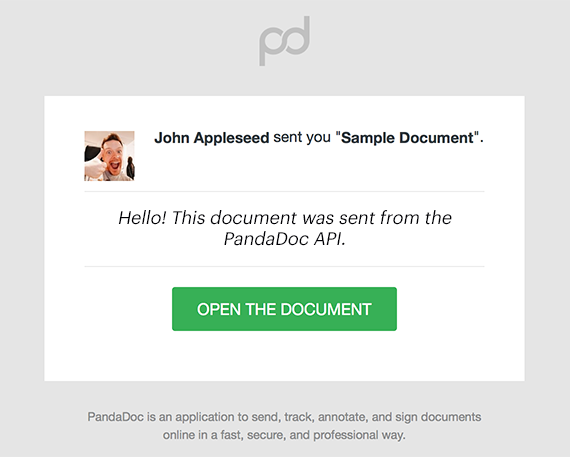
import * as pd_api from 'pandadoc-node-client';

// replace it with your API key
const API_KEY = "YOUR_API_KEY";
const configuration = pd_api.createConfiguration(
    { authMethods: {apiKey: `API-Key ${API_KEY}`} }
);
const apiInstance = new pd_api.DocumentsApi(configuration);

const body:pd_api.DocumentsApiSendDocumentRequest = {
  // string | Document ID
  id: "ZPeAfcpzr9aiVs5vqUf6jg",
  // DocumentSendRequest
  documentSendRequest: {
    message: "Hello! This document was sent from the PandaDoc API",
    subject: "Please check this test API document from PandaDoc",
    silent: true,
    sender: {
      membershipId: "QMDSzwabfFzTgjW6KijHyu",
      email: "john.doe@example.com",
    },
    forwardingSettings: {
      forwardingAllowed: true,
      forwardingWithReassigningAllowed: true,
    },
    replyTo: "john.doe@example.com",
    selectedApprovers: {
      steps: [
        {
          id: "LzWmancTxrgfTMpsJP9Eqd",
          group: {
            id: "op9MA75HygJHiV4aeVHXCH",
            type: "selectable",
            assignees: [
              {
                user: "tpBLrk3vJoLggypMSRt92i",
                isSelected: true,
              },
            ],
          },
        },
      ],
    },
  },
};

apiInstance.sendDocument(body).then((data) => {
  console.log('API called successfully. Returned data: %o', data);
}).catch((error) => console.error(error));| Name | Type | Description | Notes |
|---|---|---|---|
| documentSendRequest | DocumentSendRequest | ||
| id | [string] | Document ID | defaults to undefined |
DocumentSendResponse
- Content-Type: application/json
- Accept: application/json
| Status code | Description | Response headers |
|---|---|---|
| 200 | OK | - |
| 401 | Authentication error | - |
| 403 | Permission error | - |
| 404 | Not found | - |
| 409 | Conflict | - |
| 429 | Too Many Requests | - |
[Back to top] [Back to API list] [Back to README]
DocumentStatusResponse statusDocument()
It is useful to request document status to ensure a document is in the expected state before calling additional API methods. ### Required Document Statuses Here are some common methods and the document.status required to proceed: | API Method | Required Document State | | :------------------- | :---------------------- | | Send A Document | document.draft | | Get Document Details | document.draft | | Embed A Document | document.sent | | Download A Document | document.completed | > 📘 Polling vs Webhooks > > If you are using the GET document status endpoint for polling, we also support and recommend using webhooks for event-driven needs: https://developers.pandadoc.com/docs/listen-document-status-changes#/ ### Available Document Statuses The following is a complete list of all possible document statuses returned: | Document Status | Status Description | | :-------------------------- | :------------------------------------------------------------------------------------------------------------------------------------------------------------------------------------------------------------------------------- | | document.uploaded | The document has just been created or uploaded. It is in processing and will be in document.draft state soon. | | document.error | The document creation has failed. This status is terminal, you should stop polling after getting it. | document.draft | The document is in a draft state. All aspects of the document can be edited in this state. Our API does not support edits after the document has been created, but it can still be edited manually on https://app.pandadoc.com | | document.sent | The document has been "sealed" and optionally sent. No further document edits can occur except for document recipient(s) filling out or signing the document. | | document.viewed | Document recipient(s) have viewed the sent document. | | document.waiting_approval | The document has an automatic approval workflow and has not yet been approved. | | document.rejected | The document has an automatic approval workflow and was rejected. | | document.approved | The document has an automatic approval workflow and was approved. | | document.waiting_pay | The document has a Stripe payment option and is awaiting payment. | | document.paid | The document has a Stripe payment option and was paid. | | document.completed | The document has been completed by all recipients. | | document.voided | The document expired and is no longer available for completion or signature. | | document.declined | The document was manually marked as "Declined" | | document.external_review | The document is reviewed by it's recipient using Suggest Edit feature |
import * as pd_api from 'pandadoc-node-client';

// replace it with your API key
const API_KEY = "YOUR_API_KEY";
const configuration = pd_api.createConfiguration(
    { authMethods: {apiKey: `API-Key ${API_KEY}`} }
);
const apiInstance = new pd_api.DocumentsApi(configuration);

const body:pd_api.DocumentsApiStatusDocumentRequest = {
  // string | Specify document ID.
  id: "fANp5wW5EwY7AkiTkTGekZ",
};

apiInstance.statusDocument(body).then((data) => {
  console.log('API called successfully. Returned data: %o', data);
}).catch((error) => console.error(error));| Name | Type | Description | Notes |
|---|---|---|---|
| id | [string] | Specify document ID. | defaults to undefined |
DocumentStatusResponse
- Content-Type: Not defined
- Accept: application/json
| Status code | Description | Response headers |
|---|---|---|
| 200 | OK | - |
| 401 | Authentication error | - |
| 403 | Permission error | - |
| 404 | Not found | - |
| 429 | Too Many Requests | - |
[Back to top] [Back to API list] [Back to README]
void transferAllDocumentsOwnership(documentTransferAllOwnershipRequest)
This method transfers ownership of all documents from one member to another.
import * as pd_api from 'pandadoc-node-client';

// replace it with your API key
const API_KEY = "YOUR_API_KEY";
const configuration = pd_api.createConfiguration(
    { authMethods: {apiKey: `API-Key ${API_KEY}`} }
);
const apiInstance = new pd_api.DocumentsApi(configuration);

const body:pd_api.DocumentsApiTransferAllDocumentsOwnershipRequest = {
  // DocumentTransferAllOwnershipRequest
  documentTransferAllOwnershipRequest: {
    fromMembershipId: "Dqsxp4jNnFcS63tJEgLJGN",
    toMembershipId: "radQBiBkU7MBk59NSgaGfd",
  },
};

apiInstance.transferAllDocumentsOwnership(body).then((data) => {
  console.log('API called successfully. Returned data: %o', data);
}).catch((error) => console.error(error));| Name | Type | Description | Notes |
|---|---|---|---|
| documentTransferAllOwnershipRequest | DocumentTransferAllOwnershipRequest |
void
- Content-Type: application/json
- Accept: application/json
| Status code | Description | Response headers |
|---|---|---|
| 204 | No content | - |
| 401 | Authentication error | - |
| 403 | Permission error | - |
| 404 | Not found | - |
| 429 | Too Many Requests | - |
[Back to top] [Back to API list] [Back to README]
void transferDocumentOwnership(documentTransferOwnershipRequest)
This operation allows transferring the ownership of a document to another user by specifying the document ID and membership ID.
import * as pd_api from 'pandadoc-node-client';

// replace it with your API key
const API_KEY = "YOUR_API_KEY";
const configuration = pd_api.createConfiguration(
    { authMethods: {apiKey: `API-Key ${API_KEY}`} }
);
const apiInstance = new pd_api.DocumentsApi(configuration);

const body:pd_api.DocumentsApiTransferDocumentOwnershipRequest = {
  // string | Specify document ID.
  id: "BhVzRcxH9Z2LgfPPGXFUBa",
  // DocumentTransferOwnershipRequest
  documentTransferOwnershipRequest: {
    membershipId: "radQBiBkU7MBk59NSgaGfd",
  },
};

apiInstance.transferDocumentOwnership(body).then((data) => {
  console.log('API called successfully. Returned data: %o', data);
}).catch((error) => console.error(error));| Name | Type | Description | Notes |
|---|---|---|---|
| documentTransferOwnershipRequest | DocumentTransferOwnershipRequest | ||
| id | [string] | Specify document ID. | defaults to undefined |
void
- Content-Type: application/json
- Accept: application/json
| Status code | Description | Response headers |
|---|---|---|
| 204 | No content | - |
| 401 | Authentication error | - |
| 403 | Permission error | - |
| 404 | Not found | - |
| 409 | Conflict | - |
| 429 | Too Many Requests | - |
[Back to top] [Back to API list] [Back to README]
void updateDocument(documentUpdateRequest)
Use the PATCH method to update a PandaDoc document. > 🚧 Document status > > You can only update a document in the Draft status (document.draft). > > After creating a new document, it usually retains a document.uploaded status for 3-5 seconds while the document syncs across PandaDoc servers. When the document is available for further API calls, the document moves to the document.draft state. Use Document Status or Webhooks to check document status.
import * as pd_api from 'pandadoc-node-client';

// replace it with your API key
const API_KEY = "YOUR_API_KEY";
const configuration = pd_api.createConfiguration(
    { authMethods: {apiKey: `API-Key ${API_KEY}`} }
);
const apiInstance = new pd_api.DocumentsApi(configuration);

const body:pd_api.DocumentsApiUpdateDocumentRequest = {
  // string | Document ID
  id: "BhVzRcxH9Z2LgfPPGXFUBa",
  // DocumentUpdateRequest
  documentUpdateRequest: {
    name: "Contract",
    recipients: [
      null,
    ],
    fields: {
      "key": {
        value: null,
      },
    },
    tokens: [
      {
        name: "Favorite.Pet",
        value: "Panda",
      },
    ],
    tags: ["updated_via_api","test_document"],
    metadata: {},
    pricingTables: [
      {
        name: "Pricing Table 1",
        dataMerge: true,
        options: {},
        sections: [
          {
            title: "Sample Section",
            _default: true,
            multichoiceEnabled: false,
            rows: [
              {
                options: {
                  qtyEditable: true,
                  optionalSelected: true,
                  optional: true,
                },
                data: {},
                customFields: {},
              },
            ],
          },
        ],
      },
    ],
    tables: [
      {
        name: "name_example",
        data: {
          sections: [
            {
              header: [
                {
                  text: "text_example",
                  colSpan: 1,
                  rowSpan: 1,
                },
              ],
              rows: [
                [
                  {
                    text: "text_example",
                    colSpan: 1,
                    rowSpan: 1,
                  },
                ],
              ],
            },
          ],
        },
      },
    ],
    images: [
      {
        urls: ["https://s3.amazonaws.com/pd-static-content/public-docs/pandadoc-panda-bear.png"],
        name: "Image 1",
      },
    ],
    texts: [
      {
        name: "Legal Terms Section",
        data: `## Terms of Service
This document outlines the terms and conditions.
- **Acceptance:** By using our service, you agree to these terms.
- **Changes:** We may update these terms at any time.
`,
      },
    ],
  },
};

apiInstance.updateDocument(body).then((data) => {
  console.log('API called successfully. Returned data: %o', data);
}).catch((error) => console.error(error));| Name | Type | Description | Notes |
|---|---|---|---|
| documentUpdateRequest | DocumentUpdateRequest | ||
| id | [string] | Document ID | defaults to undefined |
void
- Content-Type: application/json
- Accept: application/json
| Status code | Description | Response headers |
|---|---|---|
| 204 | No content | - |
| 400 | Bad Request | - |
| 401 | Authentication error | - |
| 403 | Permission error | - |
| 404 | Not found | - |
| 429 | Too Many Requests | - |