Starts terminal cheat sheet for beginners #4
There are no files selected for viewing
| Original file line number | Diff line number | Diff line change | ||||||||
|---|---|---|---|---|---|---|---|---|---|---|
| @@ -0,0 +1,63 @@ | ||||||||||
| +++ | ||||||||||
| title = "Comandos do terminal para iniciantes" | ||||||||||
| description = "Quando começamos a programar, muitas vezes precisamos usar o terminal. Aqui estão os comandos mais usados no meu dia a dia" | ||||||||||
| author = "Rachel Curioso" | ||||||||||
| date = "2021-08-13" | ||||||||||
| tags = ["terminal", "tutorial"] | ||||||||||
| categories = ["terminal", "tutorial", "windows"] | ||||||||||
| [[images]] | ||||||||||
| src = "img/terminal-iniciante/cover.jpg" | ||||||||||
| alt = "Imagem de um terminal com fundo preto e tela verde" | ||||||||||
| stretch = "cover" | ||||||||||
| +++ | ||||||||||
|
|
||||||||||
| # Comandos Úteis do terminal para iniciantes | ||||||||||
|
Contributor
There was a problem hiding this comment. Acho que vale um texto explicando o que é o terminal
Suggested change
Usei de referência: https://help.ubuntu.com/kubuntu/desktopguide/pt_BR/terminals.html |
||||||||||
| ## Navegação | ||||||||||
| | Comando | Função | | ||||||||||
| | --------------------------------- | ---------------------------------------------- | | ||||||||||
| | cd `NOME DA PASTA` | Navega para a pasta em questão✳️ | | ||||||||||
| | cd .. | Volta uma pasta no diretório | | ||||||||||
| | ll (são 2 L minusculos) | lista todos os arquivos da pasta | | ||||||||||
|
Contributor
There was a problem hiding this comment.
Suggested change
Contributor
There was a problem hiding this comment. Será que funciona no terminal do windows também? 🤔 |
||||||||||
| | `tecla tab` | Auto complete ✳️✳️ | | ||||||||||
|
Contributor
There was a problem hiding this comment. Não tenho certeza se isso funciona para todos os terminais |
||||||||||
| | rm `nome_do_arquivo ou pasta` | Remove o arquivo/pasta (se ela tiver vazia) | | ||||||||||
| | rm -rf `nome_do_arquivo ou pasta` | remove arquivo/pasta e tudo que tem dentro | | ||||||||||
|
Contributor
There was a problem hiding this comment. vale um aviso do tipo "cuidado, você pode apagar pastas do sistema"? |
||||||||||
| | mkdir `nome_da_pasta` | Cria uma pasta no diretorio que você está | | ||||||||||
|
Contributor
There was a problem hiding this comment. Será que vale falar do
Suggested change
|
||||||||||
| | touch `arquivo.extensao_qualquer` | Cria um arquivo em branco no dir que você está | | ||||||||||
|
|
||||||||||
|
Contributor
There was a problem hiding this comment. Talvez adicionar o método de |
||||||||||
| ✳️ você tem acesso apenas as pastas adjacentes. Se você quiser acessar uma pasta que está dentro de outra pasta, vai precisar entrar nela priemeiro. ex: | ||||||||||
| Pasta 1 > Pasta 2 | ||||||||||
| Se eu estou na pasta 1 e quero ir até a pasta 2, eu posso fazer `cd Pasta 1 **enter** cd Pasta 2 **enter**` | ||||||||||
| ou `cd Pasta 1/Pasta 2` | ||||||||||
| Como nem sempre é claro o caminho de diretorios que precisamos percorrer, é interessante aliar o `cd` com o comando `ll`e a tecla `tab` no seu teclado | ||||||||||
| ✳️✳️ exemplo: cd `**tab**` vai mostrar todas as pastas disponiveis. | ||||||||||
| ✳️✳️ outro exemplo: cd doc `**tab**` vai mostrar todos as pastas disponiveis que começam com "doc" | ||||||||||
|
|
||||||||||
|
Contributor
There was a problem hiding this comment. Talvez valha a pena explicar o que é o |
||||||||||
| ## Elixir/Phoenix | ||||||||||
| 💧 <- Comandos que vão rodar em qualquer pasta desde que você tenha o elixir instalado | ||||||||||
|
Contributor
There was a problem hiding this comment. admito que demorei um pouquinho pra entender a referência com a gota do elixir 🤦♀️ rs |
||||||||||
| 💦 <- Comando que vai rodar em qualquer projeto elixir | ||||||||||
| 🐣 <- Comandos que vão funcionar em projetos phoenix | ||||||||||
|
Contributor
There was a problem hiding this comment. amei o ícone do phoenix haha |
||||||||||
|
|
||||||||||
|
|
||||||||||
| | Comando | Função | | ||||||||||
| | ------------------------ | ----------------------------------------------------- | | ||||||||||
| | 💧 iex | abre o elixir iterativo (ctrl+c 2x pra sair) | | ||||||||||
| | 💦 iex -S mix | abre o elixir iterativo, com acesso aos arquivos✳️ | | ||||||||||
|
Comment on lines
+43
to
+44
Contributor
There was a problem hiding this comment.
Suggested change
|
||||||||||
| | 💦 mix test | Começa servidor phoenix | | ||||||||||
|
Contributor
There was a problem hiding this comment.
Suggested change
|
||||||||||
| | 💦 mix format | Vai formatar seu código pra deixar bonito | | ||||||||||
| | 🐣 mix phx.server | Roda todos os testes da sua aplicação | | ||||||||||
|
Contributor
There was a problem hiding this comment.
Suggested change
|
||||||||||
| | 🐣 iex -S mix phx.server | Roda seu phoenix no modo iterativo | | ||||||||||
|
Contributor
There was a problem hiding this comment.
Suggested change
|
||||||||||
| | 🐣 mix ecto.create | Cria sua tabela no banco, se você estiver usando ecto | | ||||||||||
|
Contributor
There was a problem hiding this comment. Bom lembrete sobre "se está usando o ecto" Eu não sei se aparece a sugestão dos comandos do ecto quando o projeto não usa o ecto (tipo, nunca testei rs) |
||||||||||
| | 🐣 mix ecto.migrate | Roda as migrations do seu banco | | ||||||||||
| | 🐣 mix ecto.drop | Vai apagar todo o seu banco de dados | | ||||||||||
| ✳️ Ele vai compilar os arquivos da pasta pra você, e você vai ter acesso a todo o código do seu projeto no elixir iterativo | ||||||||||
|
Contributor
There was a problem hiding this comment.
Suggested change
Contributor
There was a problem hiding this comment. Será que vale explicar o que é compilar? 🤔 |
||||||||||
|
|
||||||||||
|
|
||||||||||
| ## Miscelania | ||||||||||
|
Contributor
There was a problem hiding this comment.
Suggested change
|
||||||||||
| | comando | Função | | ||||||||||
| | ---------------------- | -------------------------------------- | | ||||||||||
| | code . | Abre a pasta que você ta no vscode ✳️ | | ||||||||||
| | code `NOME DO ARQUIVO` | Abre o arquivo em questão no vscode ✳️ | | ||||||||||
|
Contributor
There was a problem hiding this comment. Lembrete pra depois: criar um post com as principais extensões pra Elixir + VScode |
||||||||||
|
|
||||||||||
| ✳️ O mesmo vale para outros editores. `vim .`, ou `atom .`, por exemplo | ||||||||||
|
|
||||||||||
| *Imagem da capa por [Jake Walker](https://unsplash.com/@jakewalker)* | ||||||||||



There was a problem hiding this comment.
Choose a reason for hiding this comment
The reason will be displayed to describe this comment to others. Learn more.
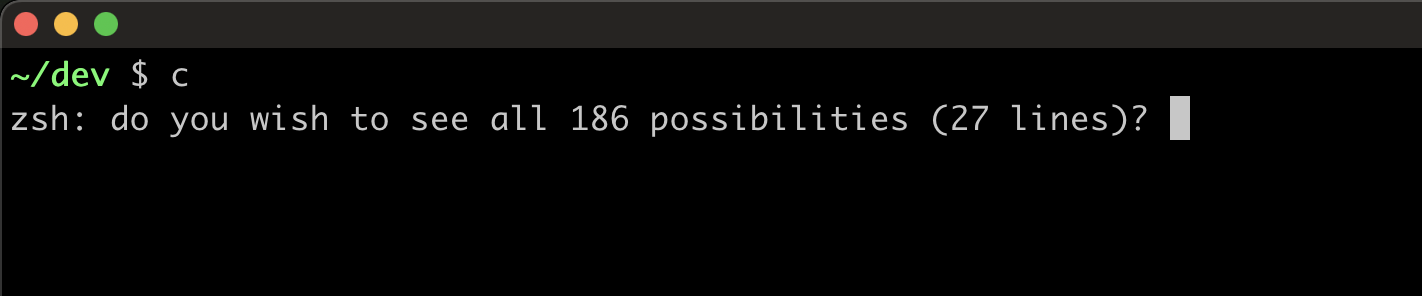
Acho que vale como guia geral também