
AI-powered component stories for React & Next.js
Instantly understand your codebase. Generate isolated component stories with AI.


Storial is like Storybook, but without the setup headaches. Point it at any React or Next.js project and instantly:
- See everything - Pages, components, hooks, contexts, and how they connect
- Generate stories - AI creates isolated component stories with mock data
- Test visually - Preview components in different states without wiring up your whole app
No config files. No build plugins. Just run it.
- Install the Storial extension from VS Code Marketplace
- Open any React/Next.js project
- Click the Storial icon in the sidebar
- Done!
npx storialOpens the web UI at http://localhost:5180
Point Storial at your project and immediately see:
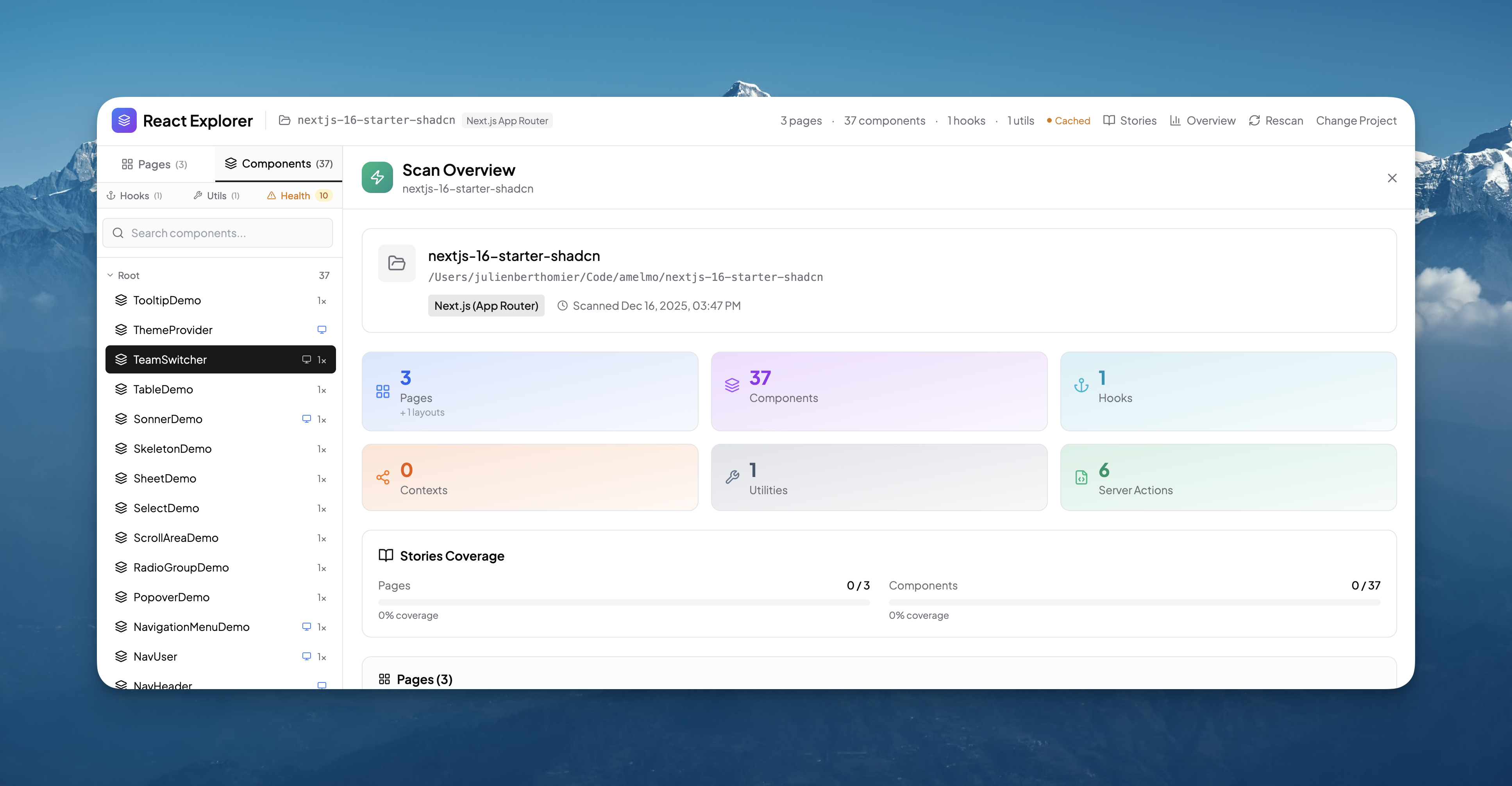
- Pages & Routes - Next.js App Router, Pages Router, React Router
- Components - With props, types, and relationships
- Hooks & Contexts - Custom hooks with their dependencies
- Utilities - Helper functions and where they're used
- Dead Code - Unused exports highlighted instantly
Generate comprehensive component stories with one click:
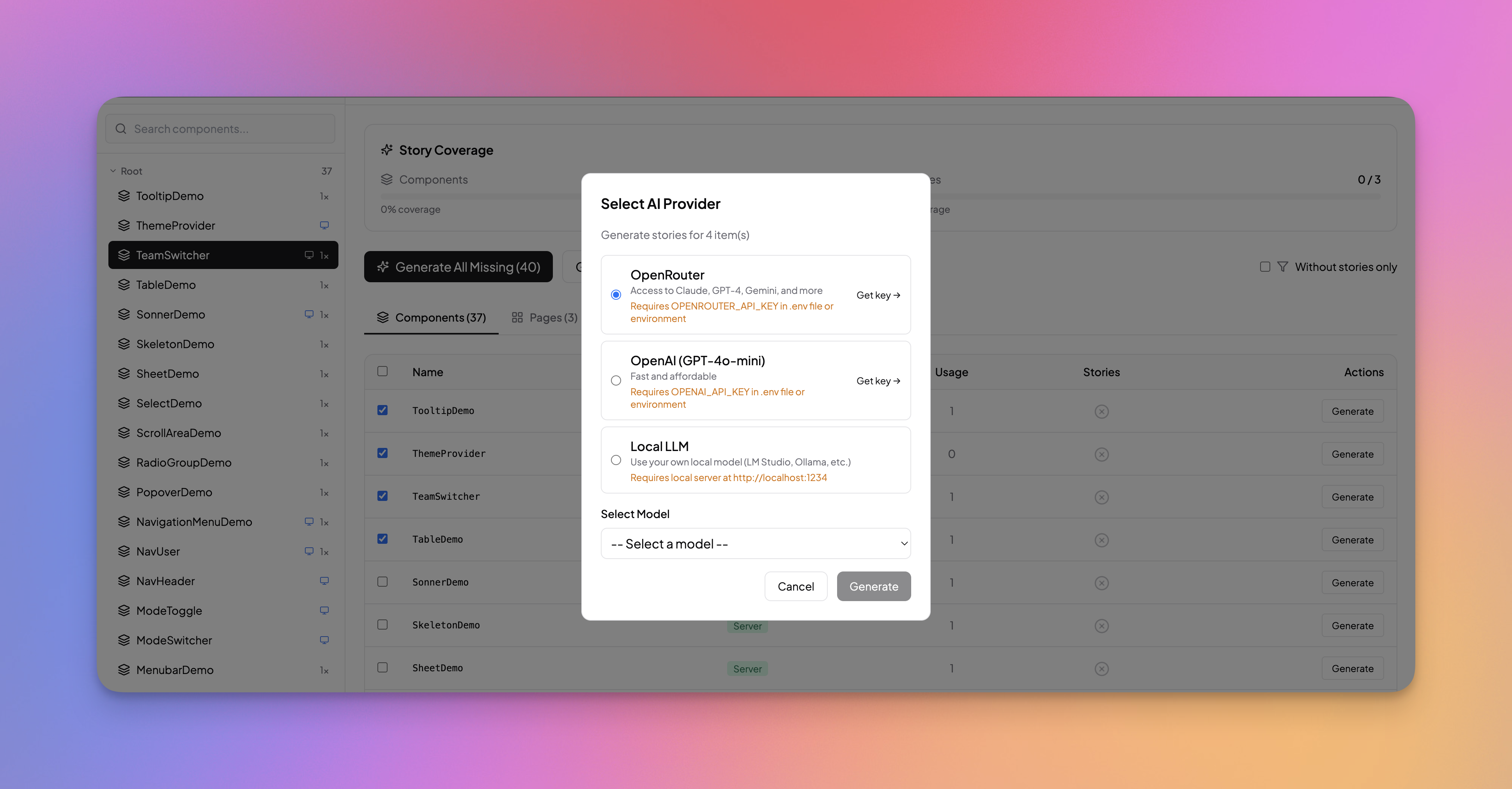
- Multiple component states (default, loading, error, empty)
- Prop variations with realistic mock data
- Theme variants (light/dark)
- Responsive previews (mobile, tablet, desktop)
Works with your favorite AI:
- Local LLM - Free & offline with LM Studio
- OpenAI - GPT-4o-mini
- OpenRouter - Claude, GPT-4, Gemini, and 20+ models
See exactly what each component uses and what uses it:
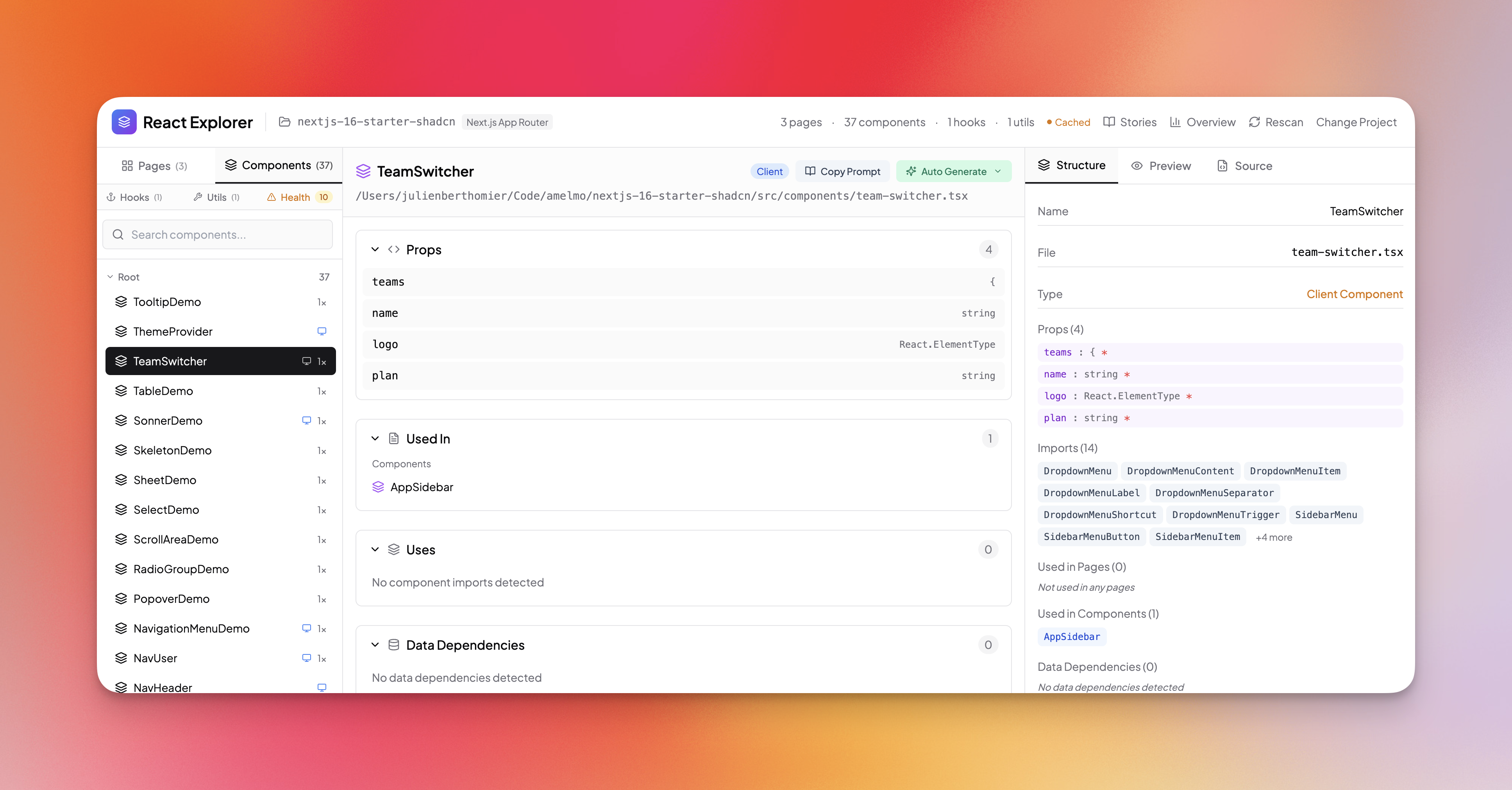
- Imports - Which hooks, contexts, and utilities the component uses
- Used by - Which pages and components use this component
- Props - All props with their types
- Data sources - API calls, database queries, server actions
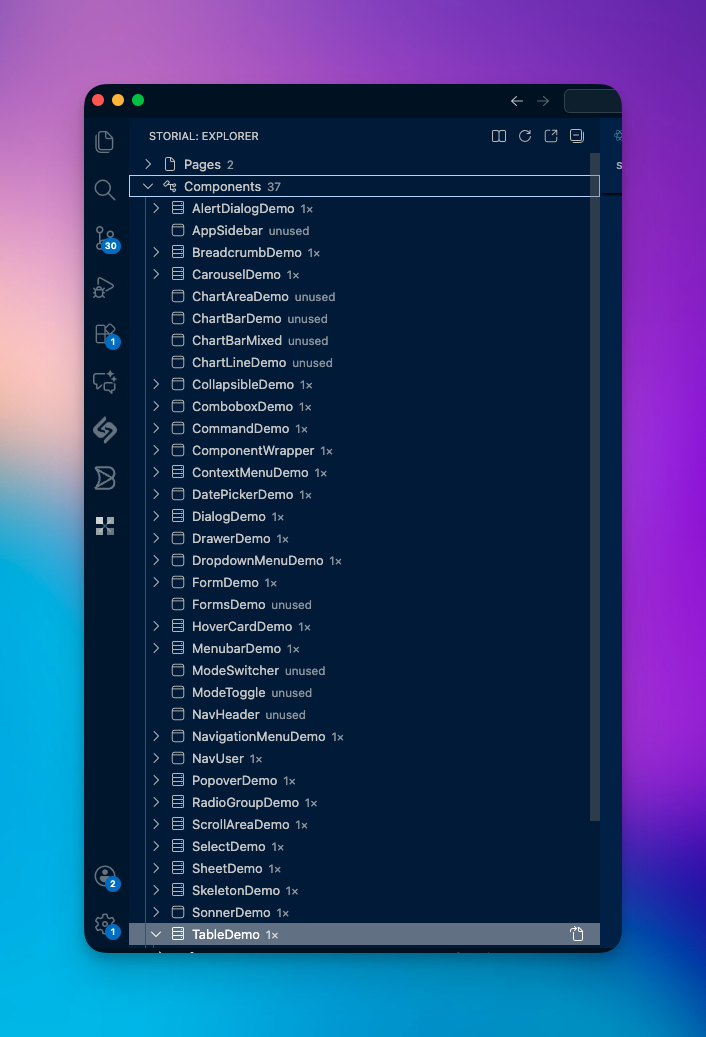
- Tree view of your entire project structure
- Click any item to jump to source
- Right-click to generate stories
- Status bar shows server status and stats
- Node.js 18+
- A React or Next.js project
VS Code Extension:
1. Open VS Code
2. Go to Extensions (Cmd+Shift+X / Ctrl+Shift+X)
3. Search "Storial"
4. Click Install
CLI / Global Install:
npm install -g storialOr run directly:
npx storialFor story generation, choose one:
| Provider | Setup | Cost |
|---|---|---|
| LM Studio | Download app, load model, start server | Free |
| OpenAI | Add OPENAI_API_KEY to .env |
~$0.01/story |
| OpenRouter | Add OPENROUTER_API_KEY to .env |
Varies by model |
# .env in your project root
OPENAI_API_KEY=sk-...
# or
OPENROUTER_API_KEY=sk-or-...┌─────────────────┐ ┌─────────────────┐ ┌─────────────────┐
│ │ │ │ │ │
│ Your Project │────▶│ Storial │────▶│ Stories + UI │
│ │ │ (Scanner) │ │ │
└─────────────────┘ └─────────────────┘ └─────────────────┘
│
▼
┌─────────────────┐
│ │
│ AI Provider │
│ (Optional) │
│ │
└─────────────────┘
- Scan - Storial analyzes your codebase (AST parsing, no execution)
- Map - Builds a relationship graph of all your code
- Generate - AI creates stories based on actual component props and usage
- Preview - View stories in isolation with mock data
| Framework | Support |
|---|---|
| Next.js App Router | ✅ |
| Next.js Pages Router | ✅ |
| React + Vite | ✅ |
| React + CRA | ✅ |
| Data Layer | Support |
|---|---|
| fetch | ✅ |
| Prisma | ✅ |
| Drizzle | ✅ |
| React Query | ✅ |
| SWR | ✅ |
| Server Actions | ✅ |
your-project/
└── .storial/
    ├── stories/
    │   ├── components/    # Generated component stories
    │   └── pages/         # Generated page stories
    └── llm-logs/          # AI generation logs (for debugging)
Storial creates a .storial folder in your project. Add it to .gitignore or commit it - your choice.
We'd love your help! See CONTRIBUTING.md for guidelines.
# Clone the repo
git clone https://github.com/AmElmo/storial.git
cd storial

# Install dependencies
npm install

# Start development
npm run devMIT - do whatever you want with it.
Built by @AmElmo