Disable Autostart
- Type 'Task Manager' in the Windows Search Bar
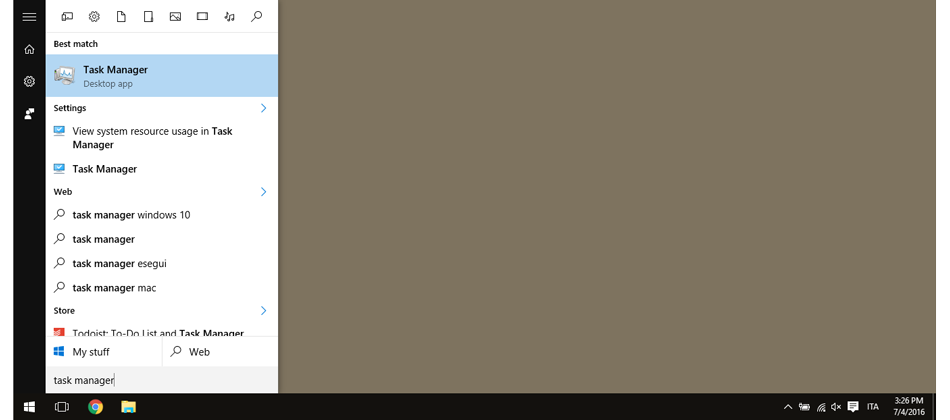
- Select the Startup tab
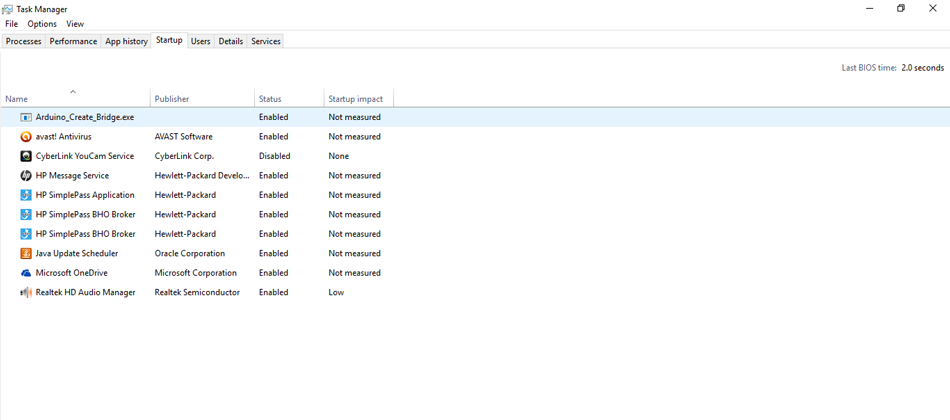
- Select the autostart file
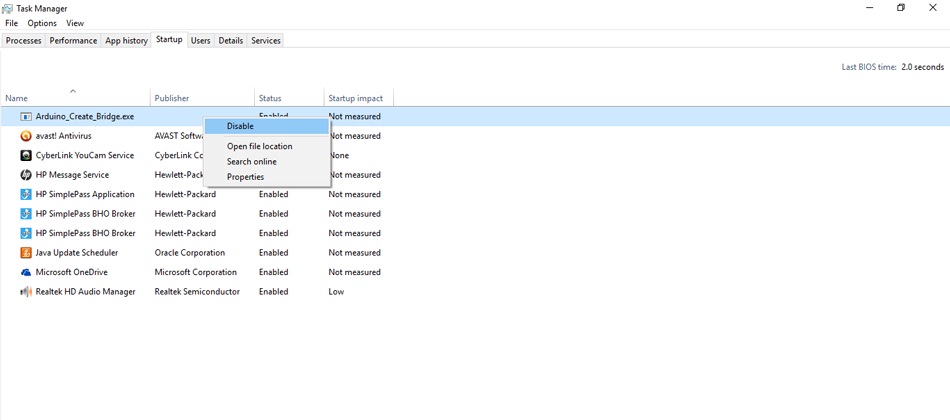
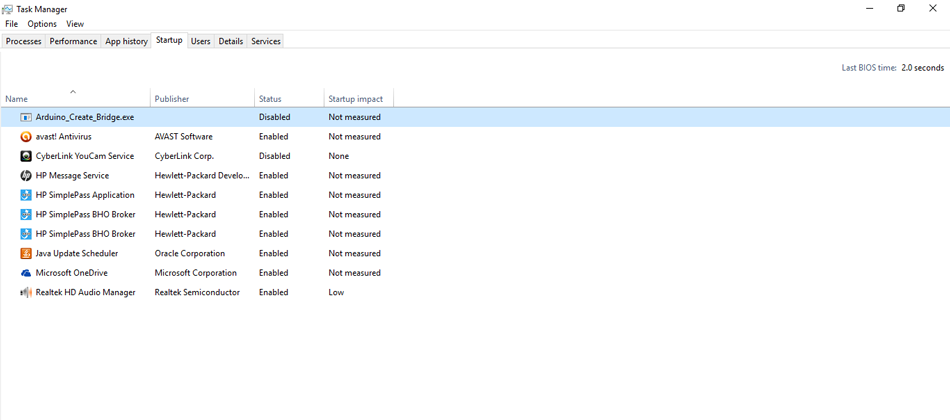
- Disable it
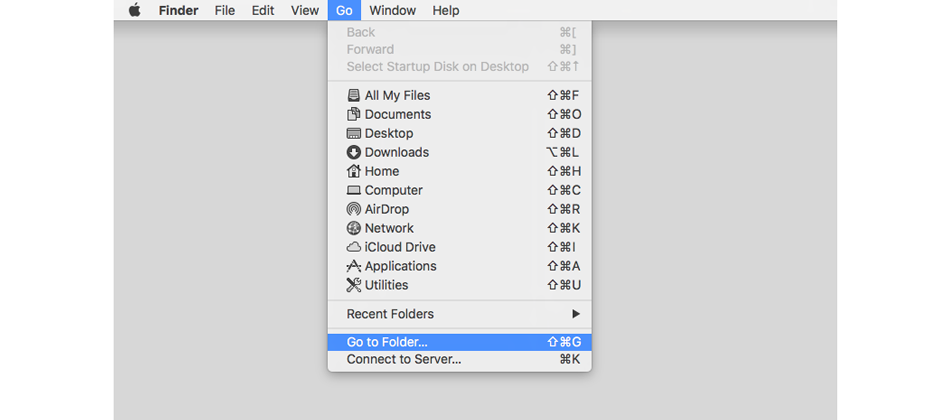
- Open Finder, click on Go menu, select 'Go to Folder'
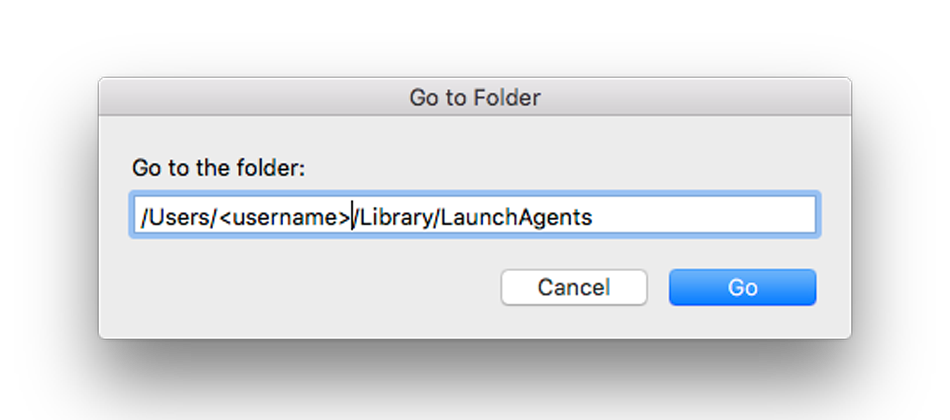
- Type the directory containing the auto-start file, change with your Mac username, by default the directory is
/Users/<username>/Library/LaunchAgents
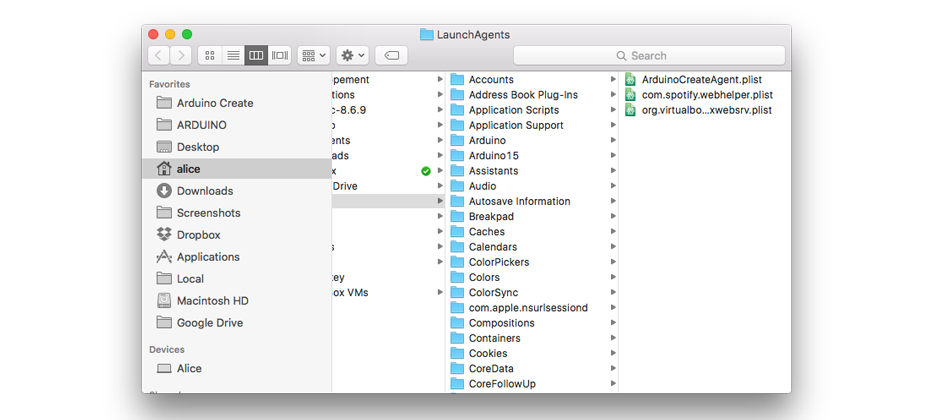
- Select the
ArduinoCreateAgent.plistfile
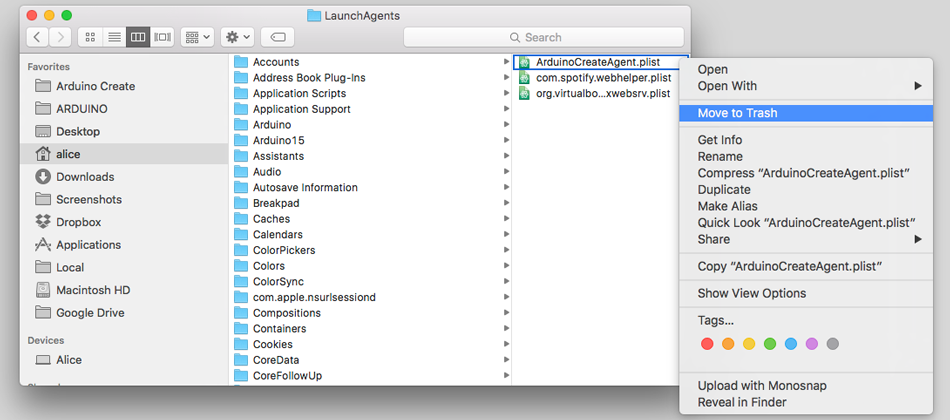
- Right-click on the file name and select 'Move to Trash'
The command line way:
$ launchctl unload -w ~/Library/LaunchAgents/ArduinoCreateAgent.plist
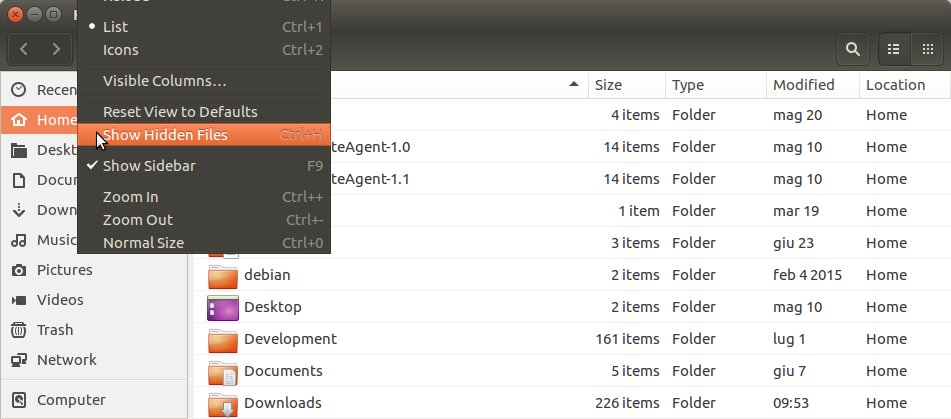
- Show hidden files
- Select the
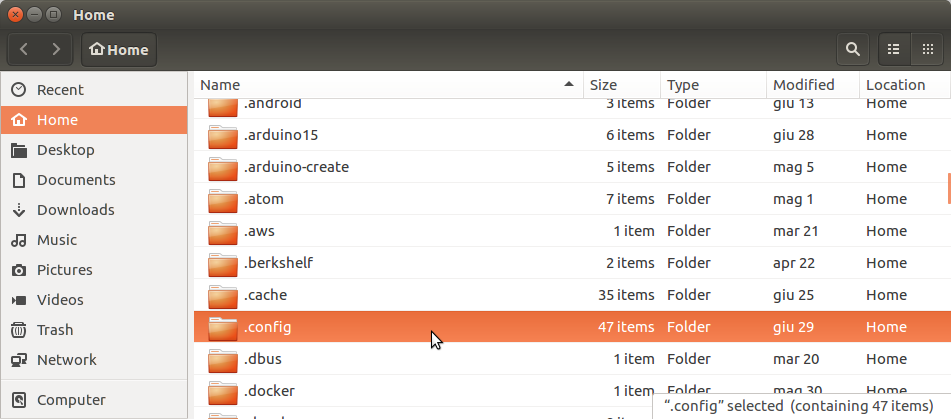
.configdir in your home
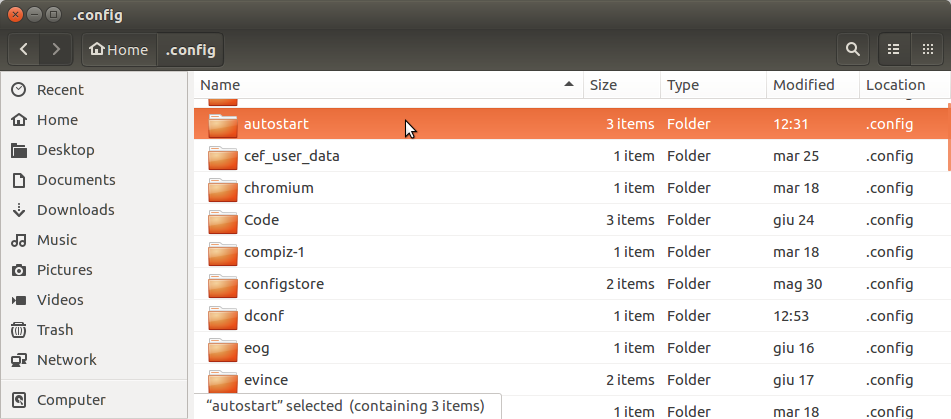
- Select the
autostartdir
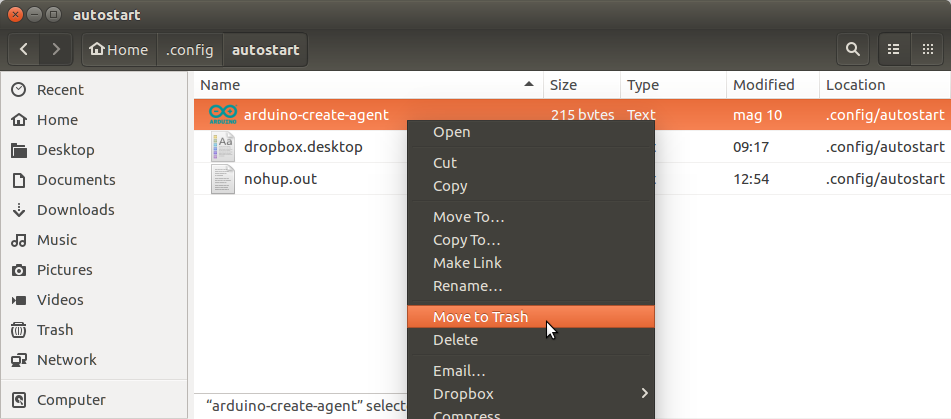
- Move the file to the trash
The command line way:
Just remove the autostart file in your desktop manager, in Ubuntu is:
$ rm $HOME/.config/autostart/arduino-create-agent.desktop
To start manually the agent, you can open the file at:
$ nohup $HOME/ArduinoCreateAgent/Arduino_Create_Agent &
or in the location selected during the installation